What Is a Time to Decimal Calculator?
A time to decimal calculator is a tool that converts time expressed in hours and minutes — the format human beings naturally use — into decimal hours, the format payroll systems, billing software, and accounting tools require for accurate calculation. Instead of 8 hours and 45 minutes, a decimal calculator returns 8.75. Instead of 2 hours and 30 minutes, it returns 2.5.
The conversion sounds trivial. It is not. Payroll errors caused by incorrect time-to-decimal conversion cost businesses and employees billions of dollars annually. A worker paid for 8:45 as if it were 8.45 hours — the most common naive mistake — loses $0.50 per hour, or $1.00 per shift. Across a 250-day work year, that is $250 in lost wages per employee, per year. Multiply across a workforce of 100 employees and the cumulative underpayment exceeds $25,000 annually from a single arithmetic error.
Understanding how time-to-decimal conversion works, mastering the formula, and knowing when and why it applies protects employees from underpayment and employers from compliance liability — two very different motivations that arrive at the same practical need.
Why Decimal Time Is Used in Payroll and Billing
Time expressed as hours:minutes is a sexagesimal system — based on 60, inherited from ancient Babylonian astronomy. It is intuitive for human scheduling but incompatible with standard arithmetic. You cannot multiply 8:45 by $22.00 and get the correct answer because 8:45 does not mean 8.75 in base-10 mathematics — it means 8 hours plus 45 out of 60 minutes.
Payroll and billing systems use decimal hours because they operate in base-10 arithmetic. Multiplying 8.75 hours by $22.00/hour produces the correct gross pay of $192.50 directly. The conversion from sexagesimal time to decimal time is the bridge between how humans experience duration and how computers and accounting systems calculate it.
The same logic applies to project billing (law firms, consultancies, agencies), freelance invoicing, construction labor cost tracking, healthcare staffing, transportation logistics, and any domain where time worked translates directly to money owed.
The Core Time to Decimal Formula
The conversion formula is mathematically simple and universally consistent:
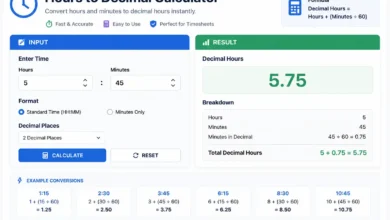
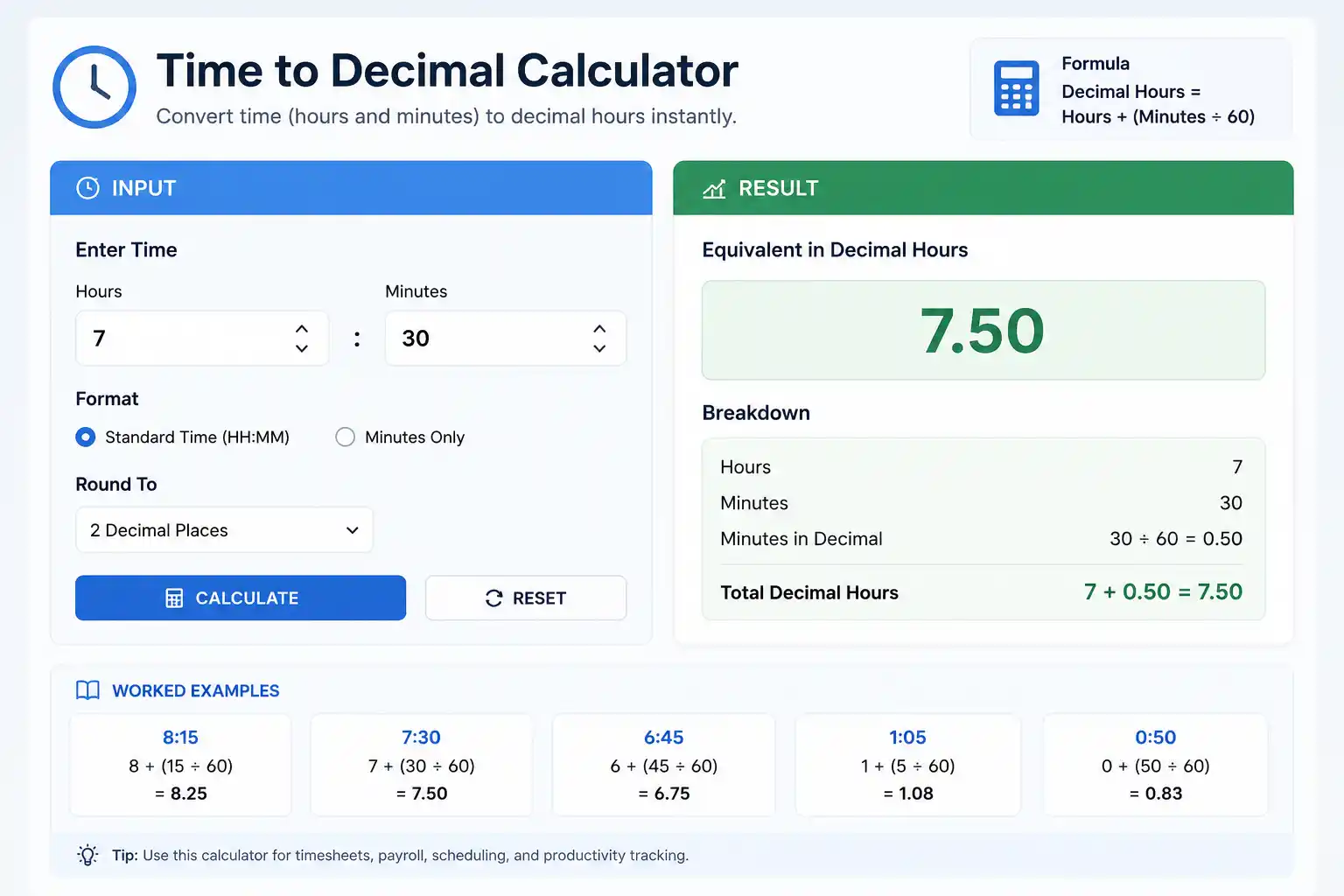
Decimal Hours = Hours + (Minutes ÷ 60)
That’s it. The hours component stays unchanged. The minutes component is divided by 60 — because there are 60 minutes in an hour — and the result is added to the whole hours.
Extended Formula for Hours, Minutes, and Seconds
When seconds matter — for precise billing, athletic timing, or scientific measurement:
Decimal Hours = Hours + (Minutes ÷ 60) + (Seconds ÷ 3600)
Seconds are divided by 3,600 because there are 3,600 seconds in one hour (60 minutes × 60 seconds).
Inverse Formula: Decimal Back to Hours and Minutes
To reverse the conversion — turning decimal hours back into hours and minutes:
Hours = Integer part of Decimal Hours (whole number before the decimal point)
Minutes = (Decimal part of Decimal Hours) × 60
Example:
8.75 hours
Hours = 8
Minutes = 0.75 × 60 = 45
Result: 8 hours 45 minutes ✓
Step-by-Step Conversion Examples
Example 1: Simple Conversions
| Time (H:MM) | Formula | Decimal Hours |
|---|---|---|
| 0:15 | 0 + (15 ÷ 60) | 0.25 |
| 0:30 | 0 + (30 ÷ 60) | 0.50 |
| 0:45 | 0 + (45 ÷ 60) | 0.75 |
| 1:20 | 1 + (20 ÷ 60) | 1.333 |
| 2:10 | 2 + (10 ÷ 60) | 2.167 |
| 4:15 | 4 + (15 ÷ 60) | 4.25 |
| 6:40 | 6 + (40 ÷ 60) | 6.667 |
| 7:45 | 7 + (45 ÷ 60) | 7.75 |
| 8:30 | 8 + (30 ÷ 60) | 8.50 |
| 8:45 | 8 + (45 ÷ 60) | 8.75 |
| 9:20 | 9 + (20 ÷ 60) | 9.333 |
| 10:10 | 10 + (10 ÷ 60) | 10.167 |
Example 2: Converting a Full Work Week
Employee: Rachel Torres, Graphic Designer Hourly Rate: $28.00
| Day | Time In | Time Out | Break | Raw Time | Decimal Hours |
|---|---|---|---|---|---|
| Monday | 8:00 AM | 5:15 PM | 30 min | 8h 45m | 8.75 |
| Tuesday | 8:00 AM | 5:00 PM | 30 min | 8h 30m | 8.50 |
| Wednesday | 8:00 AM | 4:45 PM | 30 min | 8h 15m | 8.25 |
| Thursday | 8:00 AM | 5:30 PM | 30 min | 9h 00m | 9.00 |
| Friday | 8:00 AM | 4:30 PM | 30 min | 7h 30m | 7.50 |
Total: 8.75 + 8.50 + 8.25 + 9.00 + 7.50 = 42.00 decimal hours
Overtime hours: 42.00 − 40 = 2.00 hours OT
- Regular Pay: 40.00 × $28.00 = $1,120.00
- Overtime Pay: 2.00 × ($28.00 × 1.5) = 2.00 × $42.00 = $84.00
- Gross Weekly Pay: $1,204.00
Example 3: Including Seconds in the Conversion
A legal firm billing in 6-minute increments records time as 2 hours, 17 minutes, and 42 seconds.
Decimal Hours = 2 + (17 ÷ 60) + (42 ÷ 3600)
             = 2 + 0.2833 + 0.0117
             = 2.295 hours
Billed at $350/hour:
Invoice Amount = 2.295 × $350 = $803.25
Without the seconds component, the calculation would use 2.2833 hours → $799.17 — a $4.08 underbilling that compounds across every matter the firm handles.
Complete Minutes-to-Decimal Conversion Table
The following reference table covers every minute value from 1 to 59, accurate to four decimal places:
| Min | Decimal | Min | Decimal | Min | Decimal |
|---|---|---|---|---|---|
| 1 | 0.0167 | 21 | 0.3500 | 41 | 0.6833 |
| 2 | 0.0333 | 22 | 0.3667 | 42 | 0.7000 |
| 3 | 0.0500 | 23 | 0.3833 | 43 | 0.7167 |
| 4 | 0.0667 | 24 | 0.4000 | 44 | 0.7333 |
| 5 | 0.0833 | 25 | 0.4167 | 45 | 0.7500 |
| 6 | 0.1000 | 26 | 0.4333 | 46 | 0.7667 |
| 7 | 0.1167 | 27 | 0.4500 | 47 | 0.7833 |
| 8 | 0.1333 | 28 | 0.4667 | 48 | 0.8000 |
| 9 | 0.1500 | 29 | 0.4833 | 49 | 0.8167 |
| 10 | 0.1667 | 30 | 0.5000 | 50 | 0.8333 |
| 11 | 0.1833 | 31 | 0.5167 | 51 | 0.8500 |
| 12 | 0.2000 | 32 | 0.5333 | 52 | 0.8667 |
| 13 | 0.2167 | 33 | 0.5500 | 53 | 0.8833 |
| 14 | 0.2333 | 34 | 0.5667 | 54 | 0.9000 |
| 15 | 0.2500 | 35 | 0.5833 | 55 | 0.9167 |
| 16 | 0.2667 | 36 | 0.6000 | 56 | 0.9333 |
| 17 | 0.2833 | 37 | 0.6167 | 57 | 0.9500 |
| 18 | 0.3000 | 38 | 0.6333 | 58 | 0.9667 |
| 19 | 0.3167 | 39 | 0.6500 | 59 | 0.9833 |
| 20 | 0.3333 | 40 | 0.6667 | 60 | 1.0000 |
Quick memory anchors:
- 15 minutes = 0.25 (quarter hour)
- 30 minutes = 0.50 (half hour)
- 45 minutes = 0.75 (three-quarter hour)
- 20 minutes = 0.333 (one-third hour)
- 40 minutes = 0.667 (two-thirds hour)
How to Convert Time to Decimal in Excel and Google Sheets
Spreadsheet applications store time values internally as fractions of a day — not as fractions of an hour. This creates a conversion step that surprises many users.
How Excel Stores Time
In Excel and Google Sheets, 1.0 = one full day (24 hours). Therefore:
- 1 hour = 1/24 = 0.04167
- 8 hours = 8/24 = 0.3333
- 12 hours = 12/24 = 0.5000
If cell A1 contains a time value formatted as h:mm (for example, 8:45), the underlying number is 0.3646 — not 8.75.
Converting to Decimal Hours in Excel
To convert a time-formatted cell to decimal hours:
= A1 * 24
Multiplying by 24 converts the day-fraction to an hour-fraction.
Example:
- Cell A1 displays 8:45 (stored as 0.364583)
- =A1 * 24 returns 8.75 ✓
Full Payroll Formula in Excel
For a row where B2 = Clock In, C2 = Clock Out, D2 = Break (in hours):
=(C2-B2)*24 - D2
This computes net decimal hours for a single shift — the foundation of any spreadsheet-based timesheet calculator.
Converting Decimal Hours Back to h:mm Format
= A1 / 24
Then format the cell as [h]:mm to display the result as hours and minutes. The square brackets around h prevent Excel from resetting to 0 after 24 hours — essential for cumulative totals that exceed one day.
In Google Sheets
The same formula applies:
=(C2-B2)*24 - D2
Google Sheets handles time storage identically to Excel, so all of the above applies without modification.
Time to Decimal Conversion for Specific Industries
Payroll and HR
Payroll is the most common application of time-to-decimal conversion. Every payroll platform — ADP, Paychex, QuickBooks Payroll, Gusto, Rippling — stores and processes time in decimal hours. When employees submit paper timesheets in hours:minutes format, payroll administrators must convert before entering data.
The most important payroll conversion rule: never round minutes to the nearest whole number before converting. An employee who works 8 hours and 50 minutes has worked 8.833 hours — not 9 hours. Rounding to 9 before multiplying by the hourly rate overpays by 0.167 hours × the hourly rate per shift. While individually small, this is still a systematic error that compounds across an entire workforce.
Legal Billing (Attorney Time Keeping)
Law firms bill in tenths of an hour (6-minute increments) — each tenth representing 0.1 decimal hours. The conversion table for legal billing is simple:
| Minutes Worked | Billable Tenths | Decimal Hours |
|---|---|---|
| 1–6 min | 0.1 | 0.1 |
| 7–12 min | 0.2 | 0.2 |
| 13–18 min | 0.3 | 0.3 |
| 19–24 min | 0.4 | 0.4 |
| 25–30 min | 0.5 | 0.5 |
| 31–36 min | 0.6 | 0.6 |
| 37–42 min | 0.7 | 0.7 |
| 43–48 min | 0.8 | 0.8 |
| 49–54 min | 0.9 | 0.9 |
| 55–60 min | 1.0 | 1.0 |
Note that legal billing rounds up to the next tenth — 7 minutes bills as 0.2 hours, not 0.1. This is a billing convention, not a conversion formula, and varies by firm policy.
Consulting and Agency Billing
Consulting firms typically bill in quarter-hour (0.25) or tenth-hour (0.1) increments. Project management software like Harvest, Toggl Track, and Clockify store time in decimal hours and generate invoices directly from logged time — eliminating the manual conversion step entirely for users of these platforms.
Construction and Trades
Construction payroll involves complex time-to-decimal calculations across multiple workers, shifts, job sites, and pay rates. A laborer who works 7 hours 40 minutes on one job code and 45 minutes on another must have both converted to decimal (7.667 hours and 0.75 hours) before being multiplied by their respective pay rates and totaled for the paycheck.
Many construction payroll systems — Procore, Buildertrend, Foundation Software — include automatic time-to-decimal conversion as part of their time entry modules, but field supervisors entering paper timesheets must still perform manual conversions accurately.
Healthcare Staffing
Nurses, physicians, and healthcare workers frequently work shifts of non-standard duration (10-hour shifts, 12-hour shifts, 8.5-hour shifts with 30-minute unpaid breaks). Healthcare staffing agencies and hospital HR departments rely heavily on accurate time-to-decimal conversion for per diem and agency staff billing.
A 12-hour shift with a 30-minute unpaid break:
12h 00m − 0h 30m = 11h 30m = 11 + (30 ÷ 60) = 11.50 decimal hours
At a $65.00/hour agency rate:
11.50 × $65.00 = $747.50 per shift
The Most Common Time-to-Decimal Errors
Error 1: Using Minutes as Decimals Directly
The single most common and costly error: treating 8:45 as 8.45 instead of 8.75.
WRONG: 8:45 → 8.45 hours → 8.45 × $20 = $169.00
RIGHT: 8:45 → 8.75 hours → 8.75 × $20 = $175.00
Difference: $6.00 per shift underpayment
Over 250 working days, that employee loses $1,500 per year — entirely from a single arithmetic misunderstanding.
Error 2: Rounding Minutes Before Converting
Rounding 8 hours 47 minutes to “8 hours 45 minutes” before converting introduces unnecessary error. Always convert the exact minute value.
8h 47m: 8 + (47 ÷ 60) = 8.783 hours
8h 45m: 8 + (45 ÷ 60) = 8.750 hours
Difference: 0.033 hours × $20/hr = $0.66 per shift
Error 3: Multiplying the Excel Time Value Without × 24
In Excel, multiplying a time-formatted cell by an hourly rate without first multiplying by 24 produces a wildly incorrect result.
Cell A1 = 8:45 (stored as 0.364583)
WRONG: =A1 * 20 = $7.29 (this is the day fraction × rate, not hours × rate)
RIGHT: =A1 * 24 * 20 = $175.00
Error 4: Confusing 60-Minute Hours with 100-Minute Decimal Hours
Some people instinctively think 8:75 could be a valid time expression — treating the decimal as if it referenced minutes out of 100. This confusion is particularly common when reading decimal outputs.
Clarification: 8.75 decimal hours means 8 hours and 45 minutes — not 8 hours and 75 minutes (which is impossible) and not 8 hours and 75/100 of a minute (which would be less than a second).
How to Build a Time to Decimal Calculator
In JavaScript
function timeToDecimal(hours, minutes, seconds = 0) {
  return hours + (minutes / 60) + (seconds / 3600);
}

function decimalToTime(decimal) {
  const hours = Math.floor(decimal);
  const minutes = Math.round((decimal - hours) * 60);
  return `${hours}h ${minutes}m`;
}

// Examples
console.log(timeToDecimal(8, 45));      // 8.75
console.log(timeToDecimal(2, 17, 42));  // 2.295
console.log(decimalToTime(8.75));       // "8h 45m"
console.log(decimalToTime(9.333));      // "9h 20m"
In Python
def time_to_decimal(hours, minutes, seconds=0):
    return hours + (minutes / 60) + (seconds / 3600)

def decimal_to_time(decimal):
    hours = int(decimal)
    minutes = round((decimal - hours) * 60)
    return f"{hours}h {minutes}m"

# Examples
print(time_to_decimal(8, 45))       # 8.75
print(time_to_decimal(2, 17, 42))   # 2.295
print(decimal_to_time(8.75))        # 8h 45m
print(decimal_to_time(9.333))       # 9h 20m
Decimal Time vs. Military Time: An Important Distinction
Decimal time and military time (24-hour clock) are frequently confused but serve entirely different purposes.
Military time (24-hour clock) eliminates AM/PM ambiguity by expressing all times from 0000 (midnight) to 2359 (11:59 PM). It is a time-of-day notation system, not a calculation system. 17:30 in military time means 5:30 PM — it does not mean 17.5 hours.
Decimal time converts duration into base-10 format for arithmetic purposes. 8.75 decimal hours means 8 hours and 45 minutes of elapsed time — a duration, not a time of day.
The two systems are complementary, not competing. A payroll calculation might use military time for clock-in/clock-out entries (to eliminate AM/PM errors) and then convert the resulting duration into decimal hours for gross pay calculation.
Frequently Asked Questions
How do you convert time to decimal?
Divide the minutes by 60 and add the result to the whole hours. For example, 8 hours 45 minutes = 8 + (45 ÷ 60) = 8.75 decimal hours. If seconds are involved, also divide seconds by 3,600 and add that value.
What is 8 hours 30 minutes in decimal?
8 hours 30 minutes = 8 + (30 ÷ 60) = 8.5 decimal hours.
What is 7 hours 45 minutes in decimal?
7 hours 45 minutes = 7 + (45 ÷ 60) = 7.75 decimal hours.
What is 6 hours 20 minutes in decimal?
6 hours 20 minutes = 6 + (20 ÷ 60) = 6.333 decimal hours (or 6.33 rounded to two decimal places).
How do you convert decimal hours back to minutes?
Take the decimal part of the decimal hours and multiply by 60. For example, 8.75 → 0.75 × 60 = 45 minutes → 8 hours 45 minutes.
Why does payroll use decimal hours instead of hours and minutes?
Payroll systems perform arithmetic multiplication (hours × rate = pay). Standard base-10 arithmetic cannot correctly multiply hours:minutes notation — 8:45 × $22 does not equal $192.50. Converting to decimal hours (8.75) enables correct calculation: 8.75 × $22 = $192.50.
How do I convert time to decimal in Excel?
If your time is stored as a time-formatted value in cell A1, use =A1*24 to convert it to decimal hours. If it is stored as a text string like “8:45”, use =HOUR(TIMEVALUE(A1)) + MINUTE(TIMEVALUE(A1))/60.
What is 15 minutes in decimal hours?
15 minutes = 15 ÷ 60 = 0.25 decimal hours.
What is 45 minutes in decimal hours?
45 minutes = 45 ÷ 60 = 0.75 decimal hours.
Conclusion
Time-to-decimal conversion sits at the intersection of human intuition and mathematical necessity. We experience time in hours and minutes because that is how clocks display it and how language describes it. We calculate compensation, billing, and cost tracking in decimal form because that is how arithmetic works.
The formula is simple: divide minutes by 60, add to whole hours. The reference table makes it faster. The Excel formula makes it automatic. The error examples make clear what is at stake when the conversion goes wrong — not just small arithmetic discrepancies but systematic, compounding underpayments or overbillings that affect real people’s incomes and real businesses’ compliance.
Master this conversion once, and every timesheet, every payroll calculation, every client invoice, and every labor cost projection becomes faster, more accurate, and more defensible.
Related Topics
- Hours Calculator: Formula, Examples, and How It Works
- Time Calculator: Formula, Examples, and How It Works
- Timesheet Calculator: How It Works, Formulas, and Examples
- Reading Time Calculator: Formula, Examples, and How It Works
- Simple Interest: Definition, Formula, How It Works, and Step-by-Step Examples