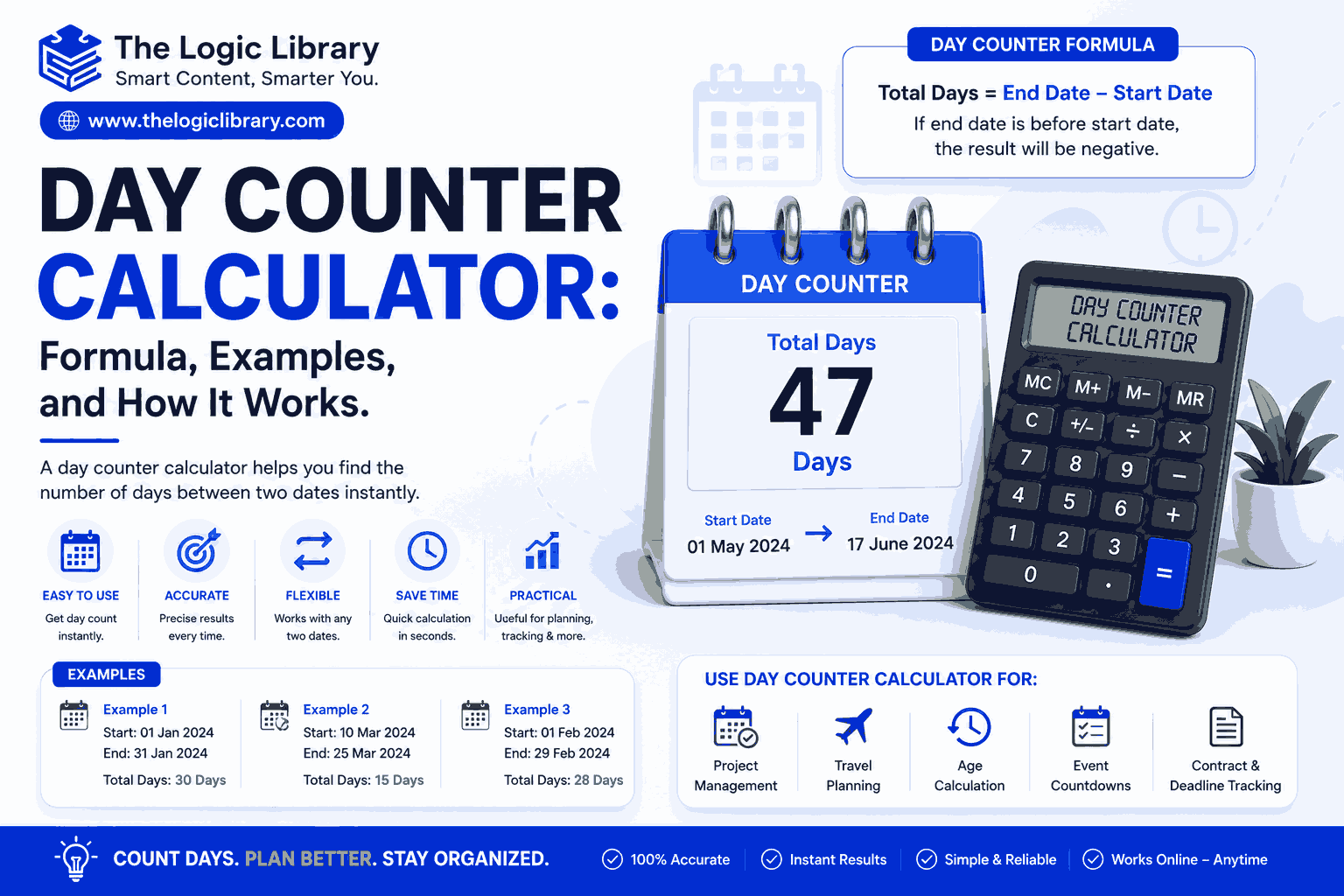
A Day Counter Calculator is a simple yet powerful tool used to calculate the exact number of days between two dates. Whether you’re planning an event, tracking a project deadline, calculating your age in days, counting days until a vacation, or determining the duration between important dates, a Day Counter Calculator provides quick and accurate results. Instead of manually counting dates on a calendar, users can enter a start date and an end date to instantly find the total number of days.
In today’s fast-paced world, individuals, businesses, students, project managers, and HR professionals rely on a Day Counter Calculator to improve planning, scheduling, and time management. This guide explains how a Day Counter Calculator works, the formulas behind it, practical examples, benefits, and common use cases.
What Is a Day Counter Calculator?
A Day Counter Calculator is an online tool or software application designed to count the number of days between two dates. It can calculate:
- Total days between dates
- Business days
- Working days
- Days excluding weekends
- Days including weekends
- Days until a future event
- Days since a past event
- Age in days
- Project duration in days
The calculator automatically accounts for varying month lengths and leap years, making it more accurate than manual calculations.
Why Use a Day Counter Calculator?
Manually counting days between dates can be time-consuming and prone to mistakes. A Day Counter Calculator eliminates errors and delivers instant results.
Benefits of a Day Counter Calculator
- Fast and accurate calculations
- Saves time and effort
- Accounts for leap years automatically
- Useful for personal and professional planning
- Improves project scheduling
- Helps track important milestones
Whether you’re counting days for travel, work, education, or personal goals, a Day Counter Calculator simplifies the process.
How a Day Counter Calculator Works
A Day Counter Calculator calculates the number of days between a start date and an end date using date arithmetic.
Basic Process
- Enter the start date.
- Enter the end date.
- Convert both dates into numerical values.
- Calculate the difference.
- Display the total number of days.
The calculator performs these calculations instantly and accurately.
Day Counter Calculator Formula
The primary formula used in a Day Counter Calculator is:
Total Days = End Date − Start Date
The result represents the number of calendar days between the two dates.
Example
Start Date:
January 1, 2026
End Date:
January 31, 2026
Calculation:
31 − 1 = 30
Result:
30 Days
Day Counter Calculator Formula Including Start and End Dates
Some users prefer counting both the start date and end date.
Formula
Inclusive Days = (End Date − Start Date) + 1
Example
Start Date:
June 1, 2026
End Date:
June 10, 2026
Calculation:
(10 − 1) + 1
Result:
10 Days
This method is commonly used for event planning and project scheduling.
Day Counter Calculator Formula for Business Days
A Day Counter Calculator can also calculate working days by excluding weekends.
Formula
Business Days = Total Days − Weekends − Holidays
Example
Date Range:
June 1, 2026 to June 15, 2026
Total Days:
14
Weekends:
4 Days
Calculation:
14 − 4
Result:
10 Business Days
Many businesses use this feature for payroll, contracts, and project management.
Day Counter Calculator Formula for Future Dates
Many users want to know how many days remain until a future event.
Formula
Days Remaining = Future Date − Current Date
Example
Current Date:
July 1, 2026
Future Date:
August 1, 2026
Calculation:
31 Days
Result:
31 Days Remaining
Day Counter Calculator Formula for Past Dates
A Day Counter Calculator can determine how many days have passed since a previous event.
Formula
Days Passed = Current Date − Past Date
Example
Past Event:
January 1, 2026
Current Date:
July 1, 2026
Result:
181 Days Passed
How a Day Counter Calculator Handles Leap Years
Leap years occur every four years and contain 366 days instead of 365.
Examples of leap years:
- 2024
- 2028
- 2032
A Day Counter Calculator automatically adds February 29 when calculating dates that include leap years.
Example
Start Date:
February 28, 2028
End Date:
March 1, 2028
Result:
2 Days
Without accounting for leap years, calculations would be incorrect.
Day Counter Calculator Examples
Example 1: Vacation Countdown
Current Date:
May 1, 2026
Vacation Date:
July 15, 2026
Result:
75 Days
A Day Counter Calculator instantly shows how many days remain until departure.
Example 2: Project Deadline
Project Start:
March 1, 2026
Project End:
June 30, 2026
Result:
121 Days
Project managers use this information to allocate resources and track progress.
Example 3: Age in Days
Birth Date:
January 1, 2000
Current Date:
January 1, 2026
Result:
Approximately 9,497 Days
A Day Counter Calculator can quickly determine age in days.
Example 4: Event Planning
Event Date:
December 31, 2026
Current Date:
June 1, 2026
Result:
213 Days Remaining
This helps organizers plan tasks and milestones.
Common Uses of a Day Counter Calculator
Personal Planning
People use a Day Counter Calculator to:
- Track vacations
- Count days until birthdays
- Plan weddings
- Monitor fitness goals
- Track anniversaries
Business Operations
Organizations use a Day Counter Calculator for:
- Contract durations
- Employee probation periods
- Project timelines
- Delivery schedules
- Payroll processing
Education
Students and teachers use a Day Counter Calculator to:
- Track semesters
- Count days until exams
- Monitor assignment deadlines
- Plan academic schedules
Healthcare
Healthcare professionals use a Day Counter Calculator for:
- Treatment schedules
- Recovery tracking
- Pregnancy due date calculations
- Medication planning
Day Counter Calculator vs Manual Counting
Manual counting often leads to mistakes because:
- Months have different numbers of days.
- Leap years add extra days.
- Large date ranges are difficult to calculate.
- Human error is common.
A Day Counter Calculator solves these issues automatically.
| Feature | Manual Counting | Day Counter Calculator |
|---|---|---|
| Speed | Slow | Instant |
| Accuracy | Moderate | High |
| Leap Year Support | Difficult | Automatic |
| Business Days | Complex | Easy |
| Large Date Ranges | Time-Consuming | Instant |
Advanced Features of a Day Counter Calculator
Modern Day Counter Calculators often include advanced options such as:
Business Day Counter
Calculates working days while excluding weekends.
Holiday Exclusion
Removes public holidays from calculations.
Date Addition
Adds a specified number of days to a date.
Date Subtraction
Subtracts days from a date.
Countdown Timer
Displays days remaining until a future event.
Multi-Year Calculations
Calculates durations spanning several years.
These features make a Day Counter Calculator suitable for both personal and professional use.
Benefits of Using a Day Counter Calculator
Improved Planning
Accurate day counts help users plan projects, events, and schedules effectively.
Better Time Management
Knowing exact durations improves productivity and organization.
Increased Accuracy
Automated calculations eliminate manual errors.
Saves Valuable Time
Calculations that might take several minutes manually can be completed instantly.
User-Friendly
Most online Day Counter Calculators require only two dates to generate results.
Common Mistakes When Counting Days
Forgetting Leap Years
Leap years can add an extra day to calculations.
Ignoring Month Lengths
Different months contain 28, 29, 30, or 31 days.
Counting Incorrectly
Manual counting can easily skip or repeat dates.
Not Defining Inclusive or Exclusive Counting
Users should clarify whether start and end dates are included.
A Day Counter Calculator automatically avoids these common mistakes.
Who Should Use a Day Counter Calculator?
A Day Counter Calculator is ideal for:
- Students
- Teachers
- HR professionals
- Business owners
- Project managers
- Event planners
- Travelers
- Healthcare professionals
- Freelancers
- Anyone managing deadlines or schedules
Its versatility makes it one of the most practical online date tools available.
Conclusion
A Day Counter Calculator is an essential tool for accurately calculating the number of days between two dates. Whether you’re tracking project timelines, planning vacations, counting down to important events, managing contracts, or calculating age in days, a Day Counter Calculator provides fast and reliable results.
By using the simple formula of subtracting one date from another, the calculator eliminates the complexity of manual counting while accounting for leap years, varying month lengths, and business day requirements. As a result, users can save time, improve planning, and make better decisions based on accurate date calculations.
Whether for personal, educational, or professional purposes, a Day Counter Calculator remains one of the most useful tools for managing schedules, deadlines, and important life events.
Frequently Asked Questions (FAQs) About Day Counter Calculator
1. What is a Day Counter Calculator?
A Day Counter Calculator is an online tool that calculates the exact number of days between two dates. It helps users count past days, future days, business days, and event countdowns quickly and accurately.
2. How does a Day Counter Calculator work?
A Day Counter Calculator uses date calculations to determine the difference between a start date and an end date. It automatically accounts for month lengths, leap years, and other calendar variations to provide accurate results.
3. What is the formula used in a Day Counter Calculator?
The basic Day Counter Calculator formula is:
Total Days = End Date − Start Date
This formula calculates the number of days between two dates.
4. Can a Day Counter Calculator include both the start and end dates?
Yes. Many Day Counter Calculators offer an inclusive counting option.
Inclusive Days = (End Date − Start Date) + 1
This method counts both the starting and ending dates.
5. Can a Day Counter Calculator calculate business days?
Yes. Most advanced Day Counter Calculators can calculate business days by excluding weekends and, in some cases, public holidays.
6. What is the difference between calendar days and business days?
- Calendar Days: Includes all days, including weekends and holidays.
- Business Days: Includes only working days and excludes weekends and sometimes holidays.
7. Can a Day Counter Calculator exclude weekends?
Yes. Many calculators provide an option to exclude Saturdays and Sundays from the total count.
8. Does a Day Counter Calculator account for leap years?
Yes. A Day Counter Calculator automatically includes February 29 during leap years to ensure accurate calculations.
9. Can I calculate the number of days until a future date?
Yes. A Day Counter Calculator can calculate how many days remain until a future event, such as a birthday, wedding, vacation, or project deadline.
10. Can I calculate the number of days since a past date?
Yes. Simply enter the past date and the current date to determine how many days have passed.
11. Can a Day Counter Calculator calculate age in days?
Yes. By entering your birth date and today’s date, the calculator can determine your exact age in days.
12. How accurate is a Day Counter Calculator?
A Day Counter Calculator is highly accurate because it uses automated date calculations and accounts for leap years, month lengths, and date formatting rules.
13. Can a Day Counter Calculator calculate days between years?
Yes. It can calculate the total number of days between dates that span multiple months, years, or even decades.
14. Can I use a Day Counter Calculator for project planning?
Absolutely. Project managers often use a Day Counter Calculator to estimate project durations, monitor milestones, and track deadlines.
15. Is a Day Counter Calculator useful for HR and payroll?
Yes. HR professionals use Day Counter Calculators to calculate probation periods, contract durations, leave balances, and employee service periods.
16. Can a Day Counter Calculator calculate workdays only?
Yes. Many calculators offer a workday calculator feature that excludes weekends and selected holidays.
17. What are common uses of a Day Counter Calculator?
Common uses include:
- Vacation countdowns
- Birthday countdowns
- Event planning
- Project scheduling
- Contract management
- Age calculations
- Academic planning
- Employee tracking
18. Is a Day Counter Calculator free to use?
Most online Day Counter Calculators are completely free and accessible from desktop computers, tablets, and smartphones.
19. What information do I need to use a Day Counter Calculator?
Typically, you only need:
- Start Date
- End Date
Some calculators may also allow options for including weekends, excluding holidays, or using inclusive counting.
20. Can a Day Counter Calculator calculate days from today?
Yes. Many calculators include a “days from today” feature that instantly calculates the number of days before or after the current date.
21. Can I add days to a date using a Day Counter Calculator?
Yes. Many tools include a date addition feature that lets you add a specific number of days to any date.
22. Can I subtract days from a date?
Yes. A Day Counter Calculator can subtract a specified number of days from a date to determine a previous date.
23. Why should I use a Day Counter Calculator instead of counting manually?
A Day Counter Calculator is faster, more accurate, automatically handles leap years, and eliminates the risk of human error.
24. Can a Day Counter Calculator help with event countdowns?
Yes. It is commonly used to track the number of days remaining until weddings, holidays, birthdays, graduations, and other important events.
25. Who should use a Day Counter Calculator?
A Day Counter Calculator is useful for:
- Students
- Teachers
- Project Managers
- HR Professionals
- Business Owners
- Event Planners
- Travelers
- Healthcare Professionals
- Freelancers
- Anyone who needs to calculate days between dates
26. Is a Day Counter Calculator mobile-friendly?
Most modern Day Counter Calculators are fully responsive and work seamlessly on smartphones, tablets, and desktop devices.
27. Can a Day Counter Calculator calculate days across leap years?
Yes. It automatically adjusts calculations when date ranges include leap years, ensuring precise results.
28. What is the most common use of a Day Counter Calculator?
The most common use of a Day Counter Calculator is determining the number of days between two dates for planning, scheduling, and countdown purposes.
29. Can businesses use a Day Counter Calculator for contract management?
Yes. Businesses frequently use Day Counter Calculators to monitor contract durations, renewal dates, and compliance deadlines.
30. Is a Day Counter Calculator suitable for personal and professional use?
Absolutely. Whether you’re planning a vacation, tracking a project, calculating age, or managing business deadlines, a Day Counter Calculator is a versatile tool for accurate date calculations.