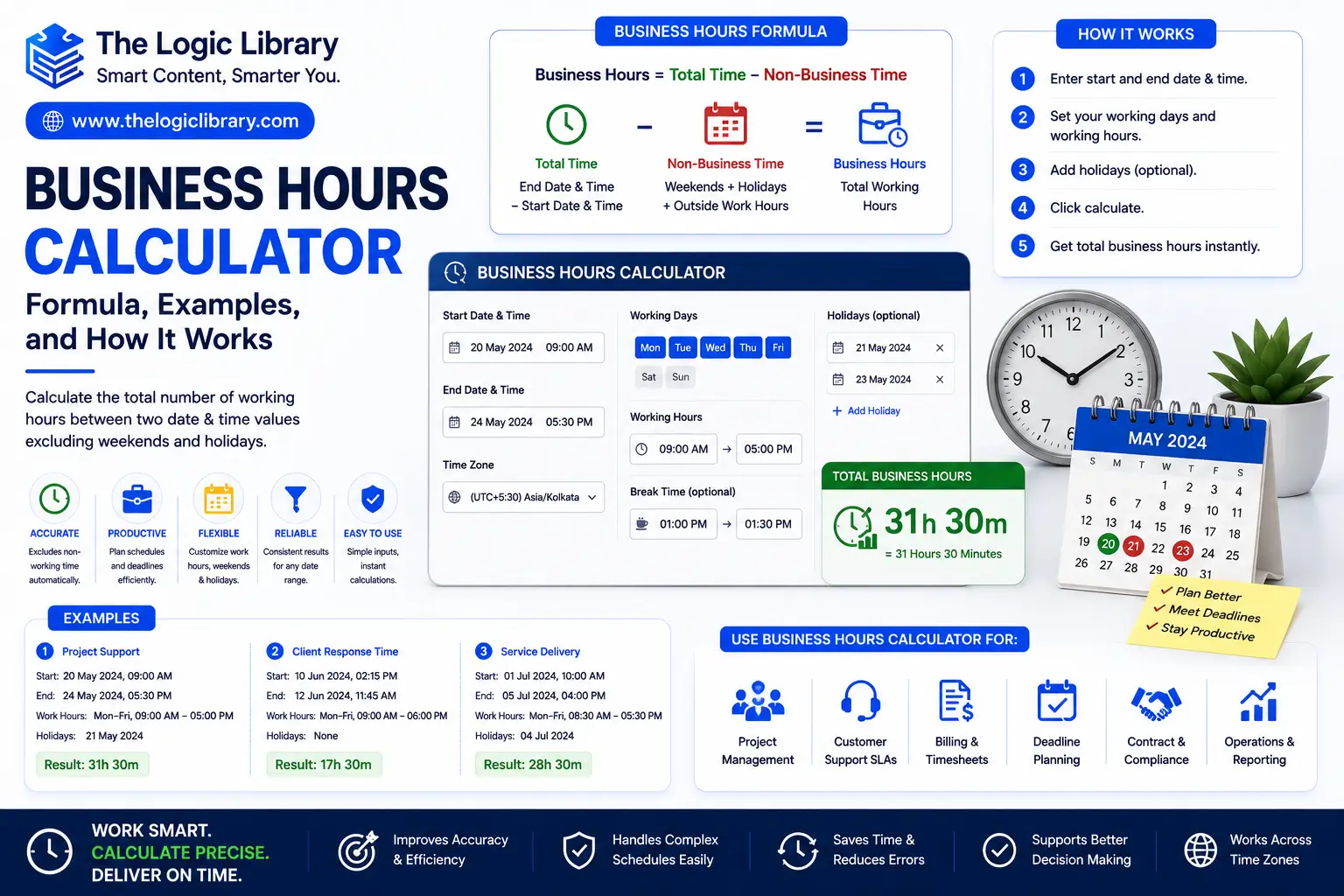
A Business Hours Calculator is a valuable time-management tool used to calculate working hours between two dates and times while considering business schedules, weekends, holidays, and breaks. Businesses, freelancers, project managers, HR departments, customer support teams, and employees use Business Hours Calculators to determine actual working time instead of total calendar time.
For example, if a project starts on Friday afternoon and ends on Monday morning, the total elapsed time may exceed 60 hours, but the actual business hours may only be a fraction of that. A Business Hours Calculator helps accurately measure productive working time, making it essential for payroll, project planning, service-level agreements (SLAs), attendance tracking, and workforce management.
In this guide, you’ll learn what a Business Hours Calculator is, how it works, its formulas, practical examples, benefits, and common use cases.
What Is a Business Hours Calculator?
A Business Hours Calculator is a tool that calculates the amount of working time between two specific dates and times based on predefined business hours.
Unlike a standard time calculator that measures total elapsed time, a Business Hours Calculator excludes non-working periods such as:
- Weekends
- Public holidays
- Company holidays
- Non-business hours
- Lunch breaks (if configured)
The result is the actual number of working hours available during a given period.
For example:
Start:
Monday 9:00 AM
End:
Wednesday 5:00 PM
Business Hours:
9:00 AM – 5:00 PM
The calculator determines the total working hours rather than counting every hour between the two dates.
How a Business Hours Calculator Works
A Business Hours Calculator follows a structured process:
- Define start date and time.
- Define end date and time.
- Set business operating hours.
- Exclude weekends.
- Exclude holidays.
- Exclude non-working periods.
- Calculate remaining working hours.
The final result represents actual business time rather than total elapsed time.
This approach provides more accurate scheduling and planning for professional environments.
Business Hours Calculator Formula
The basic Business Hours Calculator formula is:
Business Hours = Total Time − Non-Business Time
Standard Formula
Business Hours = Total Duration − Excluded Hours
Where:
- Total Duration = Total elapsed time between start and end
- Excluded Hours = Weekends, holidays, and non-working hours
The remaining time equals actual business hours.
Advanced Business Hours Formula
For more complex calculations:
Business Hours =
Working Days × Daily Business Hours
− Holidays
− Breaks
This formula is commonly used in payroll systems, project management software, and attendance tracking tools.
Understanding Business Hours
Business hours vary by organization.
Common schedules include:
| Business Type | Typical Hours |
|---|---|
| Corporate Office | 9:00 AM – 5:00 PM |
| Government Office | 8:00 AM – 4:00 PM |
| Customer Support | 24/7 or Shift-Based |
| Retail Store | 10:00 AM – 8:00 PM |
| Bank | 9:00 AM – 3:00 PM |
A Business Hours Calculator allows users to customize schedules according to their needs.
Business Hours Calculator Example for Employees
Suppose an employee works:
Start:
9:00 AM
End:
5:00 PM
Lunch Break:
1 Hour
Formula:
Business Hours = 8 − 1
Result:
7 Working Hours
The calculator excludes the lunch break and reports actual working time.
Business Hours Calculator Example for Weekly Work Hours
Employee Schedule:
Monday–Friday
9:00 AM – 5:00 PM
Daily Working Hours:
8 Hours
Weekly Formula:
5 × 8
Result:
40 Business Hours
This is a standard full-time work schedule in many organizations.
Business Hours Calculator Example with Weekends
Project Start:
Friday 3:00 PM
Project End:
Monday 11:00 AM
Business Hours:
9:00 AM – 5:00 PM
Calculation:
Friday:
3:00 PM – 5:00 PM = 2 Hours
Saturday:
Weekend = 0 Hours
Sunday:
Weekend = 0 Hours
Monday:
9:00 AM – 11:00 AM = 2 Hours
Total Business Hours:
4 Hours
Although the total elapsed time exceeds 68 hours, only 4 business hours are counted.
Business Hours Calculator Example with Holidays
Project Start:
Tuesday 9:00 AM
Project End:
Thursday 5:00 PM
Business Hours:
8 Hours Per Day
Wednesday is a public holiday.
Calculation:
Tuesday:
8 Hours
Wednesday:
Holiday = 0 Hours
Thursday:
8 Hours
Total:
16 Business Hours
The holiday is excluded automatically.
Why Businesses Use a Business Hours Calculator
Organizations use Business Hours Calculators for various operational needs.
Common uses include:
- Payroll calculations
- Attendance tracking
- Project scheduling
- Client billing
- Workforce planning
- Service-level agreement monitoring
- Productivity analysis
Accurate calculations help improve decision-making and operational efficiency.
Business Hours Calculator for Payroll
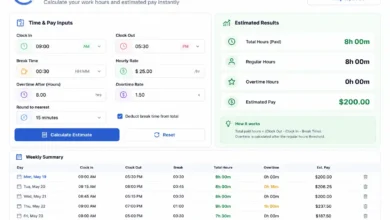
Payroll departments rely on Business Hours Calculators to determine employee compensation accurately.
Example:
Hourly Wage:
$20 Per Hour
Business Hours Worked:
160 Hours
Formula:
Pay = Hours × Rate
Calculation:
160 × 20
Result:
$3,200
Accurate hour tracking ensures fair compensation.
Business Hours Calculator for Project Management
Project managers use Business Hours Calculators to estimate project timelines.
Example:
Task Duration:
24 Business Hours
Daily Schedule:
8 Hours Per Day
Formula:
24 ÷ 8
Result:
3 Business Days
This helps establish realistic project deadlines.
Business Hours Calculator for Customer Support
Many customer support departments operate under Service-Level Agreements (SLAs).
Example:
Response Requirement:
Within 8 Business Hours
Ticket Submitted:
Friday 4:00 PM
Business Schedule:
9:00 AM – 5:00 PM
Calculation:
Friday:
1 Hour Remaining
Monday:
7 Additional Hours
Deadline:
Monday 4:00 PM
A Business Hours Calculator automatically determines the SLA deadline.
Business Hours Calculator for Freelancers
Freelancers often bill clients based on hours worked.
Example:
Project Work:
Monday = 5 Hours
Tuesday = 4 Hours
Wednesday = 6 Hours
Formula:
5 + 4 + 6
Result:
15 Billable Hours
The calculator helps generate accurate invoices.
Types of Business Hours Calculators
Different calculators serve different purposes.
Basic Business Hours Calculator
Calculates working hours between two dates.
Features:
- Start and end time
- Simple hour calculations
Working Days Calculator
Focuses on business days rather than hours.
Features:
- Excludes weekends
- Excludes holidays
Payroll Hours Calculator
Designed for employee compensation.
Features:
- Overtime tracking
- Break deductions
- Shift calculations
SLA Business Hours Calculator
Used in customer support and IT services.
Features:
- Response deadlines
- Resolution tracking
- Holiday exclusions
Benefits of Using a Business Hours Calculator
Accurate Time Tracking
Calculates actual working hours rather than elapsed time.
Better Project Planning
Improves scheduling accuracy.
Enhanced Productivity
Provides visibility into available work time.
Simplified Payroll
Reduces manual calculations.
Improved Compliance
Supports labor law and workplace policy requirements.
Better Resource Allocation
Helps managers distribute workloads efficiently.
Common Business Hours Calculator Formulas
Daily Work Hours Formula
Work Hours = End Time − Start Time − Breaks
Weekly Hours Formula
Weekly Hours = Daily Hours × Working Days
Monthly Hours Formula
Monthly Hours =
Working Days × Daily Hours
Payroll Formula
Pay = Hours Worked × Hourly Rate
These formulas form the foundation of most Business Hours Calculators.
Common Mistakes When Calculating Business Hours
Ignoring Holidays
Public holidays can significantly affect calculations.
Forgetting Break Times
Lunch and rest breaks reduce actual work hours.
Using Calendar Time Instead of Business Time
Elapsed time often differs from working time.
Not Adjusting for Different Schedules
Organizations may operate with varying business hours.
Overlooking Time Zones
International teams often require timezone adjustments.
A Business Hours Calculator helps eliminate these common errors.
Business Hours Calculator vs Regular Time Calculator
| Feature | Business Hours Calculator | Time Calculator |
|---|---|---|
| Working Hours Only | Yes | No |
| Weekend Exclusion | Yes | No |
| Holiday Exclusion | Yes | No |
| Payroll Support | Yes | Limited |
| Project Scheduling | Excellent | Basic |
| SLA Tracking | Excellent | Limited |
Business Hours Calculators provide more practical results for professional environments.
Frequently Asked Questions
What is a Business Hours Calculator?
A Business Hours Calculator measures the amount of working time between two dates while excluding weekends, holidays, and non-working hours.
What is the Business Hours formula?
The standard formula is:
Business Hours = Total Duration − Non-Business Time
Can a Business Hours Calculator exclude weekends?
Yes. Most Business Hours Calculators automatically exclude weekends.
Does a Business Hours Calculator account for holidays?
Yes. Advanced calculators allow users to exclude public and company holidays.
Who uses Business Hours Calculators?
They are commonly used by:
- HR departments
- Payroll teams
- Project managers
- Customer support teams
- Freelancers
- Business owners
Why are Business Hours Calculators important?
They provide accurate working-time calculations for payroll, scheduling, productivity tracking, and project planning.
Conclusion
A Business Hours Calculator is an essential tool for accurately measuring working time between two dates and times. By using formulas such as Business Hours = Total Duration − Non-Business Time, organizations can exclude weekends, holidays, breaks, and non-working periods to calculate actual productive hours. Whether you’re managing employee payroll, tracking project timelines, monitoring service-level agreements, or planning workloads, a Business Hours Calculator improves accuracy, efficiency, and decision-making. As businesses increasingly rely on data-driven operations, this tool remains one of the most practical solutions for workforce and time management.