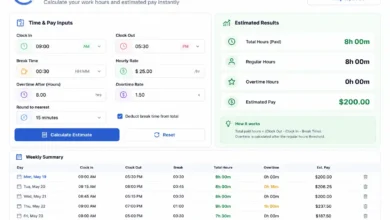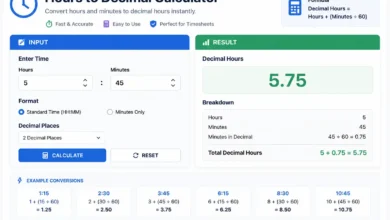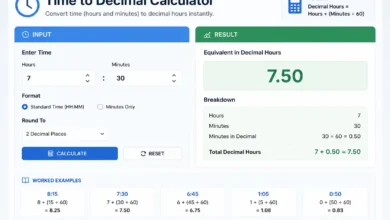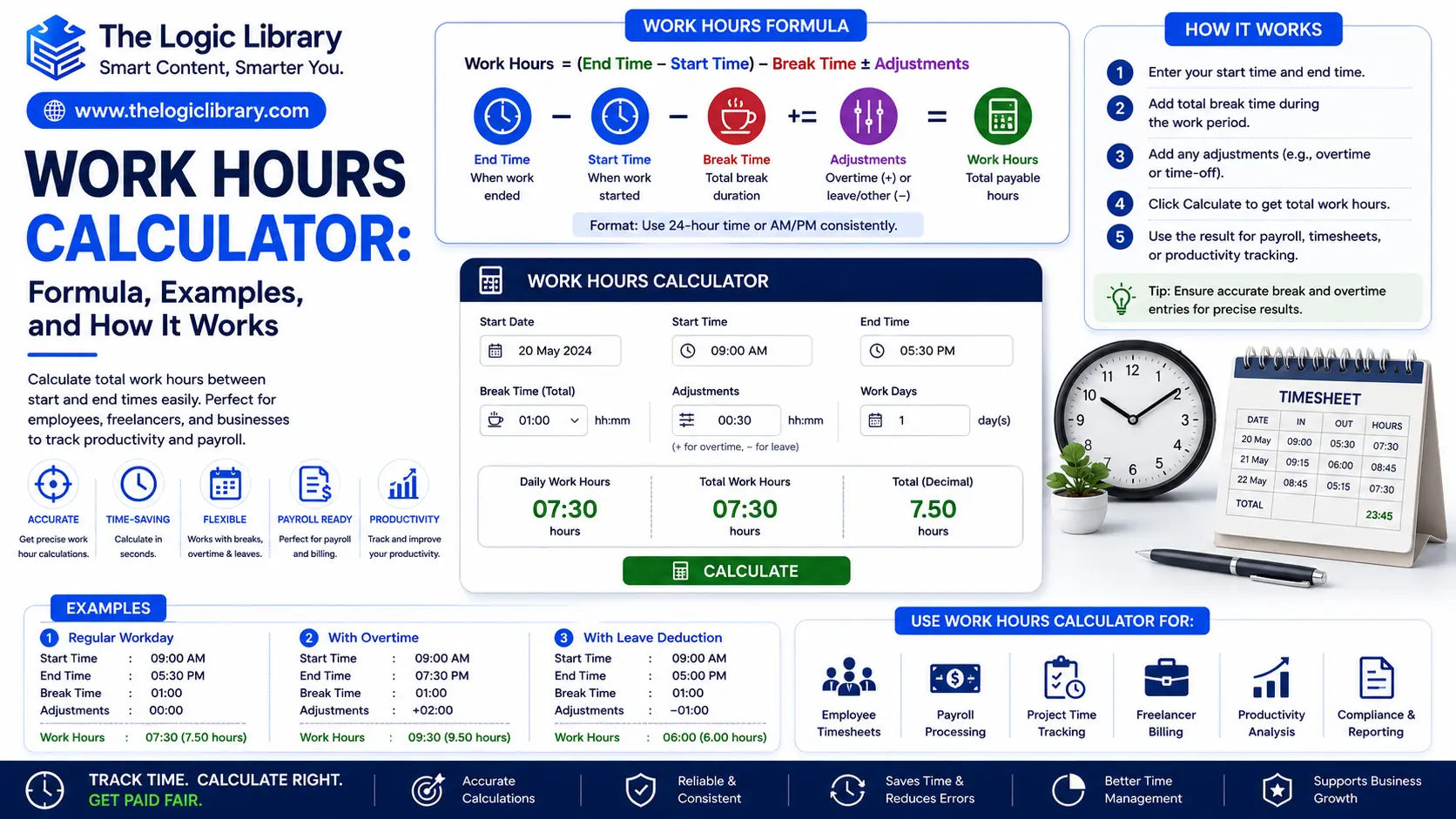
A Work Hours Calculator is a practical tool used to calculate the total number of hours worked during a day, week, month, or specific pay period. Employees, freelancers, contractors, HR professionals, payroll departments, and business owners rely on Work Hours Calculators to track working time accurately, calculate wages, manage attendance, and improve workforce productivity.
Instead of manually counting hours between a start and end time, a Work Hours Calculator automatically determines total work hours while accounting for breaks, overtime, lunch periods, and shift schedules. Whether you’re calculating daily work hours, weekly payroll hours, or monthly timesheets, understanding how a Work Hours Calculator works can save time and reduce errors.
This guide explains the Work Hours Calculator formula, practical examples, common use cases, benefits, and frequently asked questions.
What Is a Work Hours Calculator?
A Work Hours Calculator is a tool that determines the total amount of time worked between a start time and an end time.
It can calculate:
- Daily work hours
- Weekly work hours
- Monthly work hours
- Overtime hours
- Payroll hours
- Shift durations
- Break deductions
- Employee attendance hours
For example, if an employee starts work at 9:00 AM and finishes at 5:00 PM with a one-hour lunch break, the Work Hours Calculator automatically calculates the actual hours worked.
Rather than manually subtracting times, the calculator provides accurate results within seconds.
How a Work Hours Calculator Works
A Work Hours Calculator uses a simple process:
- Enter the start time.
- Enter the end time.
- Add break duration if applicable.
- Calculate total elapsed time.
- Subtract unpaid breaks.
- Display total work hours.
Many advanced calculators also calculate:
- Overtime
- Weekly totals
- Payroll earnings
- Multiple shifts
- Night shifts
- Rotating schedules
This makes the tool useful for both employees and employers.
Work Hours Calculator Formula
The basic Work Hours Calculator formula is:
Work Hours = End Time − Start Time − Break Time
Standard Work Hours Formula
Work Hours = End Time − Start Time − Unpaid Breaks
Where:
- Start Time = Beginning of work shift
- End Time = End of work shift
- Break Time = Lunch or unpaid breaks
The result is the total number of hours worked.
Example of the Work Hours Formula
Employee Schedule:
Start Time:
9:00 AM
End Time:
5:00 PM
Lunch Break:
1 Hour
Calculation:
5:00 PM − 9:00 AM = 8 Hours
Subtract break:
8 − 1 = 7 Hours
Result:
7 Work Hours
The employee worked seven paid hours.
Why a Work Hours Calculator Is Important
Accurate time tracking is essential for both workers and businesses.
A Work Hours Calculator helps:
- Prevent payroll mistakes
- Track attendance accurately
- Calculate overtime
- Improve workforce planning
- Manage project time
- Increase productivity
- Simplify timesheet management
Without accurate calculations, businesses risk overpaying, underpaying, or mismanaging employee schedules.
Work Hours Calculator Example for Daily Work
Suppose an employee works:
Start:
8:30 AM
End:
4:30 PM
Lunch:
30 Minutes
Calculation:
Total shift:
8 Hours
Minus break:
8 − 0.5
Result:
7.5 Hours
The employee worked 7 hours and 30 minutes.
Work Hours Calculator Example for Weekly Hours
Employee Schedule:
Monday–Friday
8 Hours Per Day
Formula:
Weekly Hours = Daily Hours × Days Worked
Calculation:
8 × 5
Result:
40 Hours
This is considered a standard full-time workweek in many countries.
Work Hours Calculator Example for Part-Time Employees
Part-Time Schedule:
Monday:
4 Hours
Wednesday:
5 Hours
Friday:
6 Hours
Calculation:
4 + 5 + 6
Result:
15 Hours
The employee worked 15 hours during the week.
Work Hours Calculator Example for Night Shifts
Night shifts often cross midnight, making manual calculations more difficult.
Start:
10:00 PM
End:
6:00 AM
Break:
30 Minutes
Calculation:
8 Hours − 0.5 Hours
Result:
7.5 Hours
A Work Hours Calculator automatically handles overnight shifts without confusion.
Work Hours Calculator Example for Freelancers
Freelancers frequently bill clients based on hours worked.
Project Hours:
Monday:
3 Hours
Tuesday:
4.5 Hours
Wednesday:
5 Hours
Calculation:
3 + 4.5 + 5
Result:
12.5 Hours
If the freelancer charges:
$30 Per Hour
Earnings:
12.5 × 30
Result:
$375
This helps generate accurate invoices.
Work Hours Calculator Example for Payroll
Hourly Employee:
Hourly Rate:
$20
Weekly Hours:
40
Formula:
Pay = Hours Worked × Hourly Rate
Calculation:
40 × 20
Result:
$800
Payroll teams use Work Hours Calculators to ensure accurate compensation.
Overtime Calculation Using a Work Hours Calculator
Many organizations pay overtime after a specific threshold.
Example:
Regular Hours:
40
Hours Worked:
48
Overtime Hours:
48 − 40
Result:
8 Overtime Hours
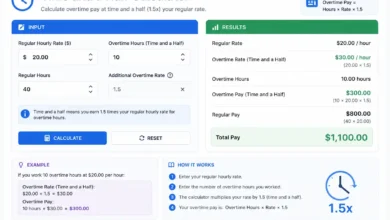
If overtime pays 1.5 times the standard rate:
Hourly Rate:
$20
Overtime Rate:
$30
Overtime Pay:
8 × 30
Result:
$240
Work Hours Calculators often include automatic overtime calculations.
Common Work Hours Formulas
Daily Work Hours Formula
Work Hours = End Time − Start Time − Breaks
Weekly Work Hours Formula
Weekly Hours = Daily Hours × Days Worked
Monthly Work Hours Formula
Monthly Hours =
Weekly Hours × Weeks Worked
Payroll Formula
Gross Pay =
Hours Worked × Hourly Rate
Overtime Formula
Overtime Hours =
Total Hours − Regular Hours
These formulas form the foundation of most Work Hours Calculators.
Types of Work Hours Calculators
Different calculators serve different workforce needs.
Basic Work Hours Calculator
Calculates simple shift durations.
Features:
- Start and end times
- Break deductions
Payroll Hours Calculator
Designed for employee compensation.
Features:
- Wage calculations
- Overtime tracking
- Weekly totals
Timesheet Calculator
Tracks multiple workdays.
Features:
- Weekly reporting
- Monthly reporting
- Attendance management
Shift Hours Calculator
Designed for rotating and overnight shifts.
Features:
- Midnight crossing
- Variable schedules
- Multiple shifts
Benefits of Using a Work Hours Calculator
Saves Time
Automates manual calculations.
Improves Accuracy
Reduces human errors.
Simplifies Payroll
Ensures correct employee compensation.
Tracks Productivity
Measures actual hours worked.
Supports Compliance
Helps businesses comply with labor regulations.
Enhances Workforce Planning
Provides accurate staffing data.
Industries That Use Work Hours Calculators
Work Hours Calculators are used across many sectors.
Human Resources
Tracks attendance and payroll.
Construction
Measures labor hours.
Healthcare
Manages shift schedules.
Retail
Tracks employee working hours.
Freelancing
Calculates billable time.
Manufacturing
Monitors workforce productivity.
Transportation
Tracks driver and crew hours.
Nearly every industry benefits from accurate work-hour calculations.
Common Mistakes When Calculating Work Hours
Forgetting Breaks
Lunch and rest periods should be deducted when unpaid.
Ignoring Overtime
Additional hours may require special pay rates.
Miscalculating Overnight Shifts
Shifts crossing midnight often create manual calculation errors.
Rounding Incorrectly
Improper rounding can affect payroll accuracy.
Not Tracking Multiple Shifts
Employees working split shifts require separate calculations.
A Work Hours Calculator helps avoid these common issues.
Work Hours Calculator vs Time Calculator
| Feature | Work Hours Calculator | Time Calculator |
|---|---|---|
| Work Shift Tracking | Yes | Limited |
| Break Deductions | Yes | No |
| Payroll Support | Yes | No |
| Overtime Tracking | Yes | No |
| Attendance Tracking | Yes | No |
| General Time Math | Limited | Yes |
A Work Hours Calculator is specifically designed for employment and payroll-related calculations.
Frequently Asked Questions
What is a Work Hours Calculator?
A Work Hours Calculator determines the total hours worked between a start time and end time while accounting for breaks and shift schedules.
What is the Work Hours formula?
The standard formula is:
Work Hours = End Time − Start Time − Break Time
Can a Work Hours Calculator calculate overtime?
Yes. Many calculators automatically identify overtime hours and calculate additional pay.
How do I calculate weekly work hours?
Add the total hours worked each day during the week.
Can a Work Hours Calculator handle overnight shifts?
Yes. Modern calculators automatically calculate shifts that cross midnight.
Who uses Work Hours Calculators?
Common users include:
- Employees
- Employers
- HR departments
- Payroll teams
- Freelancers
- Contractors
- Project managers
Conclusion
A Work Hours Calculator is an essential tool for accurately tracking working time, calculating payroll, managing attendance, and improving workforce productivity. By using the formula Work Hours = End Time − Start Time − Break Time, businesses and individuals can determine actual working hours quickly and accurately. Whether you’re an employee tracking your schedule, a freelancer calculating billable hours, or a business managing payroll, a Work Hours Calculator simplifies time management and ensures precise results. As workplaces continue to rely on accurate time tracking, this tool remains one of the most practical solutions for managing work schedules and compensation.