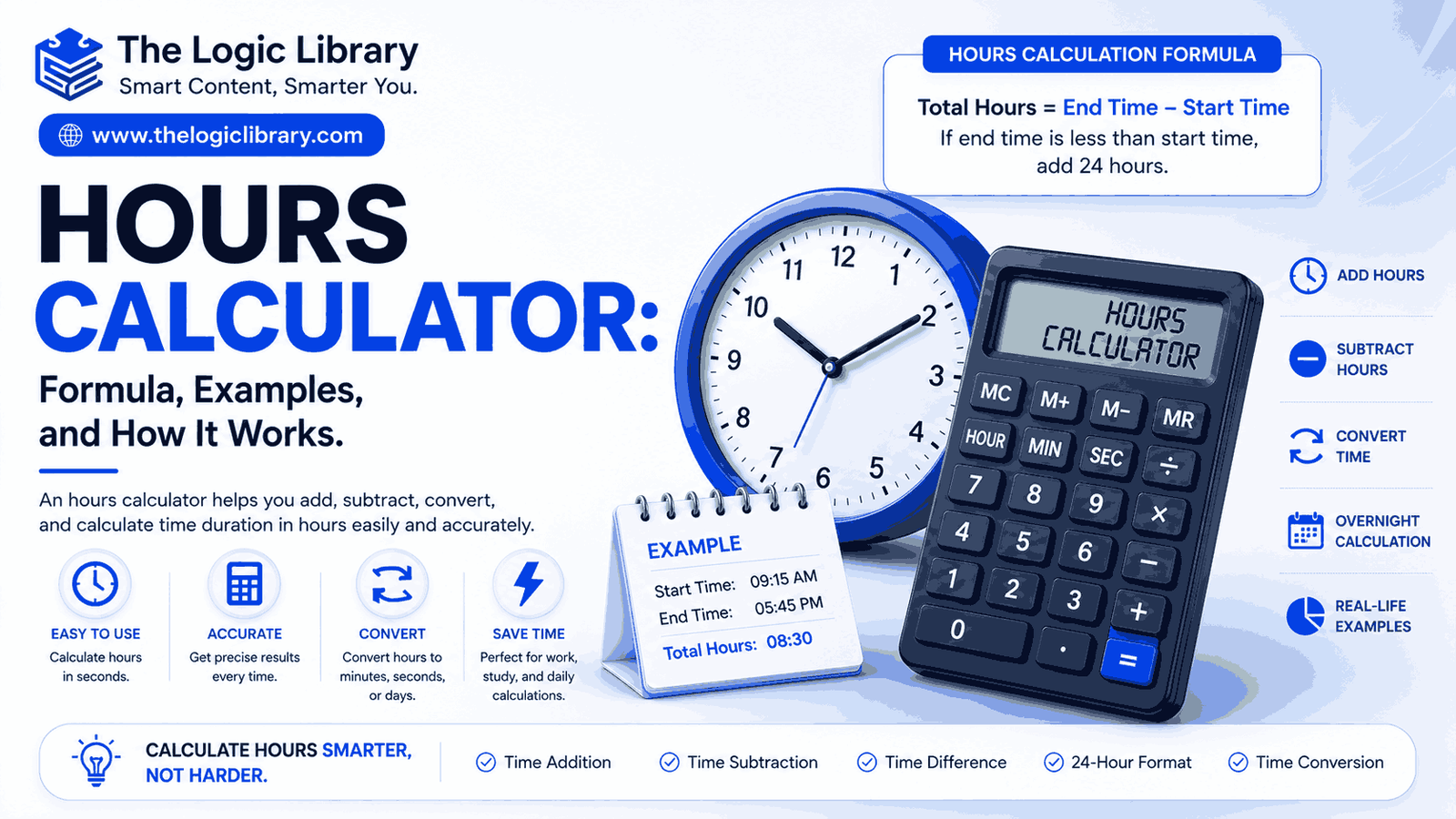
Time management plays a crucial role in both personal and professional life. Whether you’re tracking employee work hours, calculating payroll, managing project timelines, billing clients, or planning daily schedules, knowing the exact number of hours between two times is essential. This is where an Hours Calculator becomes an invaluable tool.
An Hours Calculator helps users quickly calculate the number of hours and minutes between two times or dates. Instead of performing manual calculations, which can be time-consuming and prone to errors, users can enter a start time and end time to get accurate results instantly.
From businesses calculating employee attendance to freelancers tracking billable hours, an Hours Calculator simplifies time-related calculations and improves productivity. In this comprehensive guide, you’ll learn what an Hours Calculator is, how it works, the formulas used, practical examples, benefits, and common use cases. Time Calculator: Formula, Examples, and How It Works
What Is an Hours Calculator?
An Hours Calculator is a tool designed to calculate the total number of hours and minutes between two points in time. Depending on its features, it can also:
- Calculate work hours
- Determine overtime hours
- Add or subtract hours
- Convert hours into minutes or seconds
- Calculate multi-day durations
- Convert decimal hours
- Track attendance and payroll hours
- Calculate project or task durations
Online Hours Calculators are widely used by employees, HR departments, freelancers, students, project managers, and business owners.
Why Use an Hours Calculator?
Manually calculating hours can become complicated when dealing with:
- Overnight shifts
- Break times
- Multiple workdays
- Overtime calculations
- Decimal hour conversions
- Payroll processing
An Hours Calculator automates these calculations and provides fast, accurate results.
Key Benefits
- Saves time
- Reduces calculation errors
- Improves payroll accuracy
- Simplifies scheduling
- Helps track productivity
- Supports project management
How an Hours Calculator Works
An Hours Calculator follows a simple process:
- Accepts a start time and end time.
- Converts both values into a standard format.
- Calculates the difference between them.
- Displays the result in hours and minutes.
For example:
- Start Time: 8:30 AM
- End Time: 5:15 PM
The calculator determines the total duration and returns:
8 Hours 45 Minutes
Advanced calculators can also subtract break times automatically.
Formula for Calculating Hours
The basic formula used in most Hours Calculators is:
Total Hours = End Time − Start Time
Example
Start Time:
9:00 AM
End Time:
5:00 PM
Calculation:
5:00 PM − 9:00 AM
Result:
8 Hours
This formula forms the foundation of nearly every hours calculation.
Formula for Work Hours
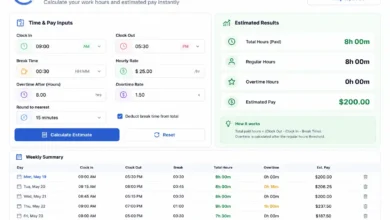
When breaks are involved, the formula becomes:
Work Hours = End Time − Start Time − Break Time
Example
Clock-In:
9:00 AM
Clock-Out:
6:00 PM
Lunch Break:
1 Hour
Calculation:
9 Hours − 1 Hour
Result:
8 Working Hours
This formula is commonly used for employee attendance tracking and payroll processing.
Formula for Overtime Hours
Overtime is calculated by comparing actual worked hours with standard working hours.
Formula
Overtime Hours = Worked Hours − Standard Shift Hours
Example
Worked Hours:
10 Hours
Standard Shift:
8 Hours
Calculation:
10 − 8
Result:
2 Overtime Hours
Businesses often use this calculation to determine overtime pay.
Formula for Adding Hours
An Hours Calculator can also add hours to a specific time.
Formula
Future Time = Current Time + Hours
Example
Current Time:
2:15 PM
Add:
4 Hours
Calculation:
2:15 PM + 4 Hours
Result:
6:15 PM
This feature is useful for scheduling appointments, meetings, and deadlines.
Formula for Subtracting Hours
Formula
New Time = Current Time − Hours
Example
Current Time:
8:00 PM
Subtract:
3 Hours
Calculation:
8:00 PM − 3 Hours
Result:
5:00 PM
Hours to Minutes Formula
Many calculations require converting hours into minutes.
Formula
Minutes = Hours × 60
Example
5 Hours
Calculation:
5 × 60
Result:
300 Minutes
Minutes to Hours Formula
Formula
Hours = Minutes ÷ 60
Example
180 Minutes
Calculation:
180 ÷ 60
Result:
3 Hours
Hours to Seconds Formula
Formula
Seconds = Hours × 3,600
Example
2 Hours
Calculation:
2 × 3,600
Result:
7,200 Seconds
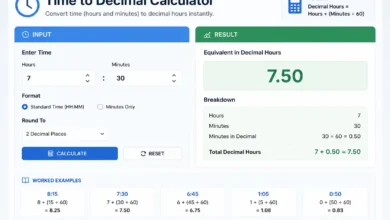
Decimal Hours Formula
Payroll systems frequently use decimal hours instead of hours and minutes.
Formula
Decimal Hours = Minutes ÷ 60
Example
30 Minutes
Calculation:
30 ÷ 60
Result:
0.5 Hours
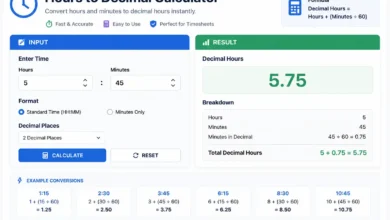
Another Example
8 Hours 45 Minutes
Calculation:
45 ÷ 60 = 0.75
8 + 0.75
Result:
8.75 Hours
Hours Calculator for Payroll
Payroll departments rely heavily on Hours Calculators to determine employee wages.
Example
Hourly Rate:
$20
Hours Worked:
40 Hours
Calculation:
40 × 20
Result:
$800
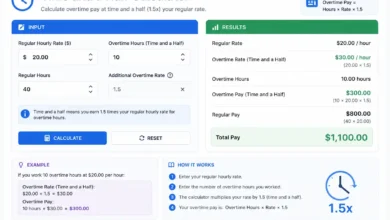
Overtime Payroll Example
Hourly Rate:
$20
Overtime Rate:
1.5×
Overtime Hours:
5
Calculation:
$20 × 1.5 × 5
Result:
$150 Overtime Pay
Calculating Hours Between Two Dates
Many Hours Calculators allow users to calculate total hours across multiple days.
Formula
Total Hours = Days × 24 + Remaining Hours
Example
Start Date:
June 1, 2026 – 9:00 AM
End Date:
June 3, 2026 – 3:00 PM
Calculation:
2 Days = 48 Hours
Additional Hours = 6
Total:
54 Hours
Result:
54 Hours
Overnight Shift Hours Calculation
One of the most useful features of an Hours Calculator is handling overnight shifts.
Example
Start Time:
10:00 PM
End Time:
6:00 AM
Calculation:
10 PM to Midnight = 2 Hours
Midnight to 6 AM = 6 Hours
Result:
8 Hours
Modern calculators automatically account for crossing midnight.
Real-World Examples
Example 1: Employee Shift
Clock-In:
8:00 AM
Clock-Out:
4:30 PM
Break:
30 Minutes
Calculation:
8 Hours 30 Minutes − 30 Minutes
Result:
8 Hours
Example 2: Freelancer Time Tracking
Project Start:
10:00 AM
Project End:
3:30 PM
Calculation:
5 Hours 30 Minutes
Result:
5.5 Billable Hours
Example 3: Study Session
Start:
6:00 PM
End:
9:15 PM
Result:
3 Hours 15 Minutes
Example 4: Workout Duration
Start:
7:00 AM
End:
8:20 AM
Result:
1 Hour 20 Minutes
Common Uses of an Hours Calculator
Employee Attendance
Track daily work hours and attendance records.
Payroll Processing
Calculate wages, overtime, and employee compensation.
Freelance Billing
Track project hours and invoice clients accurately.
Project Management
Estimate task durations and project timelines.
Education
Monitor study hours and exam preparation schedules.
Healthcare
Track shift schedules and working hours for medical staff.
Transportation
Calculate travel and transit durations.
Features of a Modern Hours Calculator
Most advanced online Hours Calculators include:
- Time difference calculation
- Work hours tracking
- Break deduction
- Overtime calculation
- Decimal hours conversion
- Hours-to-minutes conversion
- Multi-day calculations
- Payroll support
- Mobile-friendly interface
- 24-hour and AM/PM formats
These features make them versatile tools for both personal and professional use.
Common Mistakes When Calculating Hours
Forgetting Break Times
Failing to subtract lunch or rest breaks can lead to inaccurate totals.
AM/PM Errors
Confusing AM and PM may significantly impact results.
Ignoring Overnight Shifts
Calculations crossing midnight often cause manual errors.
Incorrect Decimal Conversion
Many users incorrectly convert minutes into decimal hours.
For example:
45 Minutes = 0.75 Hours
Not 0.45 Hours.
Using Inconsistent Formats
Mixing 24-hour and 12-hour formats can create confusion.
An Hours Calculator eliminates these common mistakes by automating calculations.
Advantages of Using an Online Hours Calculator
Accuracy
Provides precise calculations every time.
Efficiency
Instantly calculates hours without manual work.
Convenience
Accessible from desktops, tablets, and smartphones.
Cost Savings
Reduces payroll and scheduling errors.
Better Productivity
Helps individuals and organizations manage time effectively.
Who Should Use an Hours Calculator?
An Hours Calculator is useful for:
- Employees
- HR professionals
- Payroll administrators
- Freelancers
- Consultants
- Business owners
- Project managers
- Teachers
- Students
- Healthcare workers
- Contractors
Anyone who needs to track, calculate, or manage time can benefit from using an Hours Calculator.
Conclusion
An Hours Calculator is a powerful and practical tool for calculating work hours, payroll hours, overtime, project durations, study sessions, and more. By automatically determining the difference between start and end times, it eliminates manual errors and saves valuable time.
Whether you’re an employee tracking work hours, a freelancer billing clients, a manager processing payroll, or a student organizing study schedules, an Hours Calculator provides quick, accurate, and reliable results. Understanding the formulas behind hour calculations helps users make better decisions, improve productivity, and manage time more effectively.
As workplaces become increasingly data-driven and efficiency-focused, online Hours Calculators continue to be essential tools for accurate time tracking and management. Work Hours Calculator: Formula, Examples, and How It Works
Frequently Asked Questions (FAQs) About Hours Calculators
1. What is an Hours Calculator?
An Hours Calculator is an online tool that calculates the total number of hours and minutes between two times or dates. It is commonly used for work hours, payroll calculations, overtime tracking, project management, and personal time management.
2. How does an Hours Calculator work?
An Hours Calculator takes a start time and end time, converts them into a standard format, calculates the difference, and displays the result in hours and minutes. Advanced calculators can also account for breaks, overtime, and overnight shifts.
3. How do I calculate hours between two times?
Use the formula:
Total Hours = End Time − Start Time
For example:
- Start Time: 9:00 AM
- End Time: 5:00 PM
Result: 8 Hours
4. Can an Hours Calculator calculate work hours?
Yes. Most Hours Calculators are designed to calculate employee work hours by subtracting break times from the total shift duration.
Work Hours = End Time − Start Time − Break Time
5. How do I calculate my work hours with a lunch break?
Example:
- Clock-In: 8:00 AM
- Clock-Out: 5:00 PM
- Lunch Break: 1 Hour
Calculation:
9 Hours − 1 Hour
Result: 8 Working Hours
6. Can an Hours Calculator calculate overtime?
Yes. Overtime hours are calculated by subtracting standard working hours from total hours worked.
Overtime = Total Worked Hours − Regular Hours
For example:
- Worked Hours: 10
- Regular Hours: 8
Result: 2 Overtime Hours
7. How do I calculate hours for an overnight shift?
An Hours Calculator automatically handles shifts that cross midnight.
Example:
- Start: 10:00 PM
- End: 6:00 AM
Result: 8 Hours
8. Can I add hours to a specific time?
Yes. Hours Calculators can add hours and minutes to determine a future time.
Example:
- Current Time: 2:30 PM
- Add: 4 Hours
Result: 6:30 PM
9. Can I subtract hours from a specific time?
Yes. Simply enter the current time and the number of hours to subtract.
Example:
- Current Time: 8:00 PM
- Subtract: 2 Hours
Result: 6:00 PM
10. How do I convert hours into minutes?
Use the formula:
Minutes = Hours × 60
Example:
- 5 Hours × 60 = 300 Minutes
11. How do I convert minutes into hours?
Use the formula:
Hours = Minutes ÷ 60
Example:
- 180 Minutes ÷ 60 = 3 Hours
12. What are decimal hours?
Decimal hours represent time in decimal format instead of hours and minutes.
Examples:
- 15 Minutes = 0.25 Hours
- 30 Minutes = 0.50 Hours
- 45 Minutes = 0.75 Hours
13. Why are decimal hours used?
Decimal hours are commonly used for payroll, invoicing, timesheets, and project billing because they simplify calculations.
14. How do I convert hours into seconds?
Use the formula:
Seconds = Hours × 3,600
Example:
- 2 Hours × 3,600 = 7,200 Seconds
15. Can an Hours Calculator calculate hours between dates?
Yes. Many Hours Calculators can calculate the total number of hours between two dates and times, even if they span multiple days, weeks, or months.
16. Is an Hours Calculator useful for payroll?
Absolutely. Payroll professionals use Hours Calculators to determine regular hours, overtime, wages, and attendance records accurately.
17. Can freelancers use an Hours Calculator?
Yes. Freelancers use Hours Calculators to track billable hours, estimate project costs, and create accurate invoices for clients.
18. How accurate are online Hours Calculators?
Online Hours Calculators are highly accurate when correct start times, end times, and break durations are entered.
19. What is the difference between an Hours Calculator and a Time Calculator?
An Hours Calculator specifically focuses on calculating hours worked or elapsed hours between times, while a Time Calculator may include additional functions such as date calculations, time conversions, and countdowns.
20. Can an Hours Calculator calculate multiple workdays?
Yes. Advanced Hours Calculators can calculate total hours across several days, making them useful for project tracking, attendance management, and payroll processing.
21. Is an Hours Calculator free to use?
Most online Hours Calculators are completely free and accessible from computers, tablets, and smartphones.
22. Can I calculate hours and minutes separately?
Yes. Most calculators display results in a format such as:
- 8 Hours 30 Minutes
- 12 Hours 45 Minutes
- 3 Hours 15 Minutes
for better readability.
23. Why should I use an Hours Calculator instead of calculating manually?
Using an Hours Calculator saves time, reduces errors, handles overnight shifts automatically, simplifies payroll calculations, and provides instant results.
24. Who can benefit from an Hours Calculator?
Hours Calculators are useful for:
- Employees
- Employers
- HR Managers
- Payroll Specialists
- Freelancers
- Consultants
- Students
- Teachers
- Project Managers
- Healthcare Professionals
- Business Owners
25. What is the most common use of an Hours Calculator?
The most common use is calculating employee work hours for attendance tracking, payroll processing, and overtime calculations. However, it is also widely used for project management, study planning, and personal productivity tracking. Business Hours Calculator: Formula, Examples, and How It Works