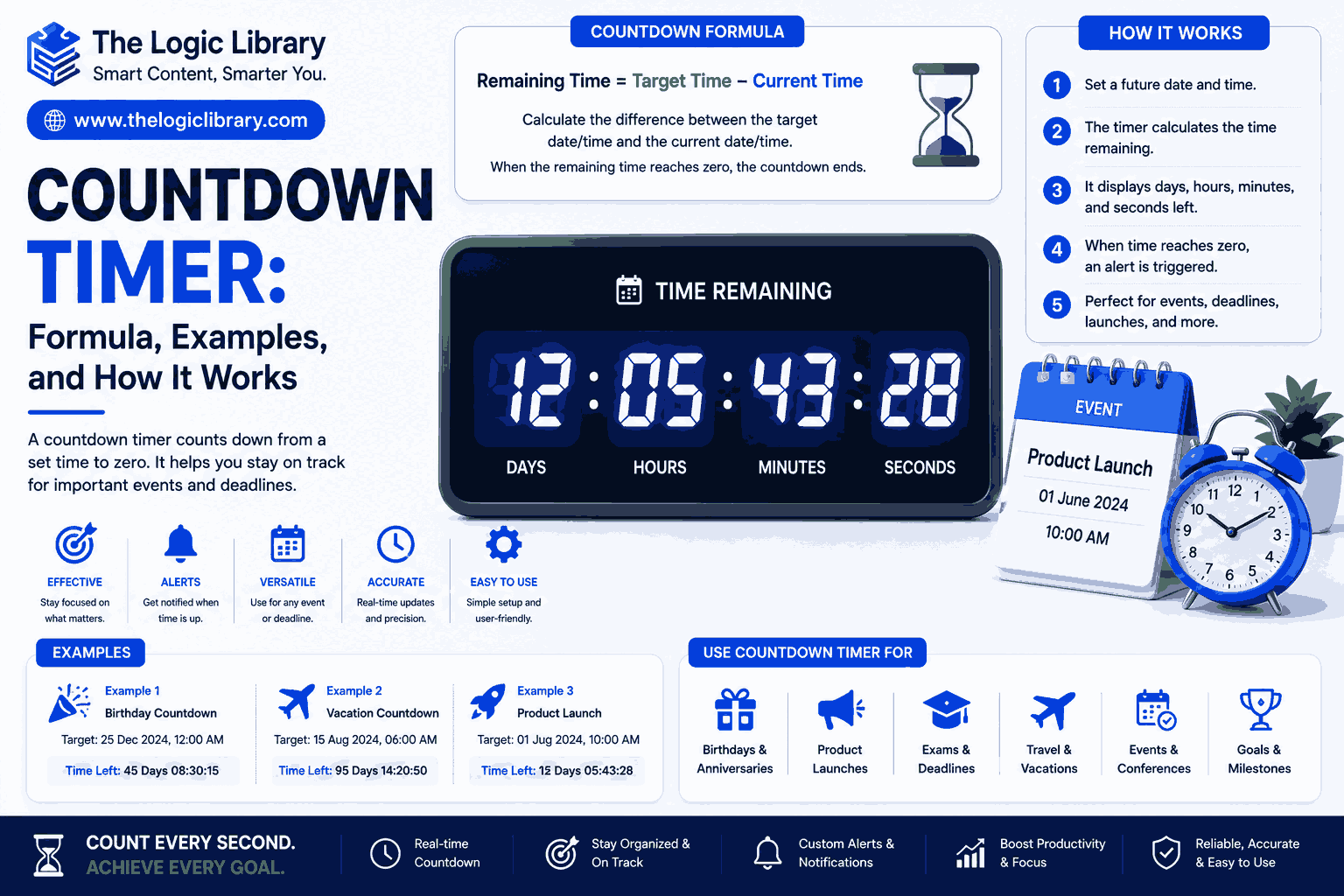
A Countdown Timer is a simple yet powerful tool used to measure the time remaining until a specific event, deadline, or target moment. Whether you’re preparing for an exam, launching a product, tracking a workout session, managing a project deadline, or counting down to a holiday, a Countdown Timer helps you stay organized and aware of the remaining time. By displaying the exact days, hours, minutes, and seconds left until a future date or time, it creates urgency, improves planning, and increases productivity.
In today’s digital world, Countdown Timers are widely used in websites, mobile applications, online stores, event management systems, classrooms, workplaces, and personal productivity tools. Understanding how a Countdown Timer works, its formula, and practical examples can help you use it more effectively in both personal and professional settings.
What Is a Countdown Timer?
A Countdown Timer is a time-tracking mechanism that continuously calculates and displays the remaining time between the current moment and a future target date or time.
Unlike a stopwatch, which counts upward from zero, a Countdown Timer counts downward from a specified duration or target date until it reaches zero.
For example:
- Time until New Year
- Time remaining before an exam
- Time left for a sale offer
- Time remaining before a meeting
- Time left to complete a task
When the countdown reaches zero, the event occurs or the timer expires.
How a Countdown Timer Works
A Countdown Timer works by comparing two values:
- Current date and time
- Target date and time
The timer continuously subtracts the current time from the target time.
Basic Process
- Set a future date or duration.
- Retrieve the current time.
- Calculate the difference.
- Display the remaining days, hours, minutes, and seconds.
- Update the countdown every second.
As time passes, the remaining duration decreases until it reaches zero.
Countdown Timer Formula
The standard Countdown Timer formula is:
Remaining Time = Target Time − Current Time
Mathematical Formula
Countdown = Future DateTime − Current DateTime
Where:
- Future DateTime = Event date and time
- Current DateTime = Present date and time
The result gives the remaining time before the event occurs.
Example Formula
Target Date:
December 31, 2026, 11:59 PM
Current Date:
June 21, 2026, 10:00 AM
Formula:
Remaining Time = Target Date − Current Date
The result can then be converted into:
- Days
- Hours
- Minutes
- Seconds
Countdown Timer Components
A Countdown Timer usually consists of four major components.
Days
Represents the number of complete days remaining.
Hours
Shows remaining hours after removing full days.
Minutes
Shows remaining minutes after removing full hours.
Seconds
Displays remaining seconds after removing full minutes.
Most digital Countdown Timers update the seconds field every second for real-time accuracy.
Why Countdown Timers Are Important
Countdown Timers provide more than just time tracking.
They help:
- Increase motivation
- Improve productivity
- Reduce procrastination
- Create urgency
- Improve event planning
- Manage deadlines effectively
- Encourage goal completion
By visually showing how much time remains, people become more aware of their priorities and schedules.
Countdown Timer Example for a School Exam
Imagine a student preparing for an exam scheduled on:
August 15, 2026
Current Date:
July 16, 2026
Calculation:
August 15 − July 16 = 30 Days
Countdown Timer Display:
30 Days
0 Hours
0 Minutes
0 Seconds
The student can use this information to create a study plan and allocate daily preparation time.
Countdown Timer Example for Product Launches
Businesses frequently use Countdown Timers before launching products or services.
Example:
Product Launch:
September 1, 2026
Current Date:
August 20, 2026
Calculation:
September 1 − August 20 = 12 Days
Website Display:
12 Days
14 Hours
25 Minutes
40 Seconds
This creates excitement and anticipation among customers.
Countdown Timer Example for Online Sales
E-commerce websites commonly use Countdown Timers to increase conversions.
Example:
Sale Ends:
Tonight at 11:59 PM
Current Time:
8:30 PM
Formula:
11:59 PM − 8:30 PM
Result:
3 Hours 29 Minutes
The visible timer encourages customers to act quickly before the offer expires.
Countdown Timer Example for Fitness Training
Fitness coaches often use Countdown Timers during workouts.
Workout Session:
20 Minutes
After 5 minutes:
Remaining Time = 20 − 5
Result:
15 Minutes Left
This helps participants maintain pace and complete exercises within the planned timeframe.
Countdown Timer Example for Event Planning
Event organizers rely on Countdown Timers to track preparation deadlines.
Event Date:
December 20, 2026
Current Date:
November 20, 2026
Calculation:
30 Days Remaining
The timer helps teams prioritize tasks and stay on schedule before the event.
Types of Countdown Timers
Different Countdown Timers are designed for different purposes.
Date-Based Countdown Timer
Counts down to a future date.
Examples:
- New Year
- Weddings
- Birthdays
- Product launches
Duration-Based Countdown Timer
Counts down from a specific duration.
Examples:
- Cooking timers
- Exercise timers
- Study sessions
Recurring Countdown Timer
Automatically resets after completion.
Examples:
- Classroom activities
- Factory operations
- Repeating events
Digital Countdown Timer
Uses software or electronics to display remaining time.
Examples:
- Mobile apps
- Websites
- Smart devices
Countdown Timer for Productivity
Many productivity experts recommend using Countdown Timers to improve focus.
Benefits include:
- Better time management
- Reduced distractions
- Improved task completion
- Increased accountability
- Enhanced concentration
People often combine Countdown Timers with productivity techniques such as time blocking and focused work sessions.
Countdown Timer for Students
Students use Countdown Timers to:
- Prepare for exams
- Complete assignments
- Manage study sessions
- Track project deadlines
- Improve focus
For example:
Study Session:
45 Minutes
Break:
10 Minutes
The timer keeps students disciplined and prevents time wastage.
Countdown Timer for Businesses
Businesses use Countdown Timers in multiple areas.
Common applications include:
Marketing Campaigns
Limited-time offers create urgency and improve conversion rates.
Product Launches
Build anticipation before releases.
Project Management
Track milestones and deadlines.
Employee Productivity
Monitor work sessions and scheduled tasks.
Countdown Timers provide clear visibility into time-sensitive objectives.
Countdown Timer in Websites
Many websites integrate Countdown Timers to increase user engagement.
Popular uses include:
- Flash sales
- Registration deadlines
- Webinar launches
- Event promotions
- Course enrollment periods
A visible timer encourages visitors to take immediate action.
Common Countdown Timer Calculations
Days Calculation
Remaining Days = Total Seconds ÷ 86,400
Since:
1 Day = 86,400 Seconds
Hours Calculation
Remaining Hours = Remaining Seconds ÷ 3,600
Since:
1 Hour = 3,600 Seconds
Minutes Calculation
Remaining Minutes = Remaining Seconds ÷ 60
Since:
1 Minute = 60 Seconds
These calculations allow software applications to display accurate countdown values.
Advantages of Using a Countdown Timer
Better Time Awareness
People become more conscious of approaching deadlines.
Increased Motivation
A visible countdown creates urgency and encourages action.
Improved Productivity
Tasks are completed more efficiently when time limits are visible.
Reduced Procrastination
People are less likely to postpone important activities.
Easier Planning
Countdowns help organize schedules and allocate resources effectively.
Common Mistakes When Using Countdown Timers
Setting Unrealistic Deadlines
Overly aggressive timelines can create stress and reduce performance.
Ignoring Time Zones
Global events require proper time-zone calculations.
Forgetting Breaks
Continuous countdown pressure may lead to fatigue.
Not Updating Target Dates
Incorrect event dates can make the countdown inaccurate.
Regular monitoring ensures reliable results.
Countdown Timer vs Stopwatch
| Feature | Countdown Timer | Stopwatch |
|---|---|---|
| Direction | Counts Down | Counts Up |
| Purpose | Time Remaining | Time Elapsed |
| Deadline Tracking | Yes | No |
| Event Planning | Excellent | Limited |
| Productivity Use | High | Moderate |
| Urgency Creation | Strong | Weak |
While both tools measure time, they serve different purposes.
Frequently Asked Questions
What is a Countdown Timer?
A Countdown Timer is a tool that displays the remaining time until a specific future date, event, or deadline.
What is the Countdown Timer formula?
The basic formula is:
Remaining Time = Target Time − Current Time
Where are Countdown Timers used?
Countdown Timers are commonly used in:
- Events
- Education
- Fitness
- Business
- Marketing
- E-commerce
- Productivity management
Can a Countdown Timer show days and hours?
Yes. Most modern Countdown Timers display:
- Days
- Hours
- Minutes
- Seconds
Why do businesses use Countdown Timers?
Businesses use them to create urgency, increase engagement, and encourage customers to act before deadlines.
Are Countdown Timers accurate?
Yes. Digital Countdown Timers continuously update based on the current system time and target date.
Conclusion
A Countdown Timer is an essential time-management tool that helps individuals and organizations track the remaining time before a future event, deadline, or milestone. By using the simple formula Remaining Time = Target Time − Current Time, Countdown Timers provide real-time visibility into upcoming goals and commitments. Whether you’re preparing for an exam, launching a product, managing a project, running a promotional campaign, or tracking a personal goal, a Countdown Timer can improve planning, increase motivation, and enhance productivity. Its simplicity, accuracy, and versatility make it one of the most valuable tools for effective time management in both personal and professional life.