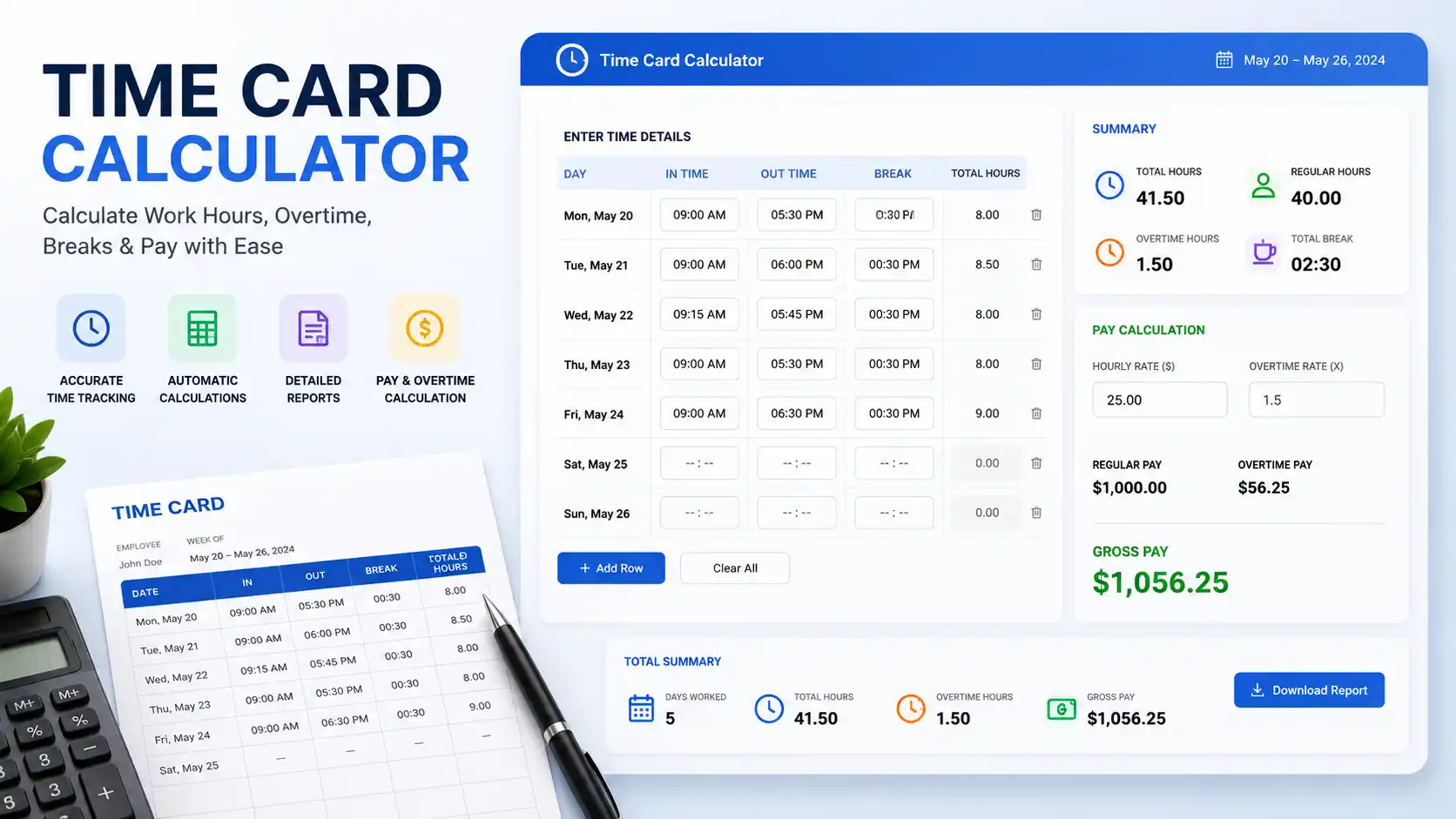
What Is a Time Card Calculator?
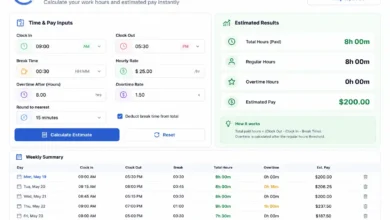
A time card calculator is a tool — digital or manual — used to compute the total number of hours an employee has worked during a given pay period. It takes clock-in and clock-out times, calculates the difference for each shift, subtracts any unpaid break periods, and totals all work hours across days or weeks.
Originally a physical punch card system introduced in the late 19th century, time cards have evolved into sophisticated digital systems used by businesses of every size. Whether you’re a freelancer tracking billable hours, a small business owner running payroll, or an HR professional managing hundreds of employees, understanding how a time card calculator works is essential to accurate compensation.
The tool serves a dual purpose: it protects employees from being underpaid and helps employers maintain labor law compliance. When used correctly, a time card calculator eliminates guesswork and human error from one of the most critical administrative tasks in any organization.
Why Time Card Calculators Matter
Accurate time tracking is not merely a convenience — it is a legal obligation. In the United States, the Fair Labor Standards Act (FLSA) requires employers to keep records of hours worked and wages paid to non-exempt employees. Errors in time tracking can expose businesses to wage theft lawsuits, penalties from the Department of Labor, and irreparable damage to employee trust.
From the employee’s perspective, an inaccurate time card means lost wages. Even a 10-minute daily discrepancy compounds over a year to more than 40 hours of unpaid work. At $20/hour, that’s over $800 in lost compensation per employee annually.
For employers, the stakes are equally high. Overpaying employees due to inflated time records or miscalculated overtime can significantly affect payroll budgets. A reliable time card calculator mitigates both risks.
Key reasons time card calculators are essential:
- Accurate payroll processing
- Overtime compliance under federal and state law
- Transparent employee-employer wage agreements
- Project cost tracking and labor budgeting
- Audit-readiness and recordkeeping compliance
The Core Formula Behind Time Card Calculation
At its heart, time card calculation relies on a simple but precise formula:
Basic Formula
Total Hours Worked = (Clock-Out Time − Clock-In Time) − Unpaid Break Duration
Because time is expressed in hours and minutes (not in decimals by default), there are two approaches to this calculation:
Method 1: Direct Time Subtraction
Subtract the start time from the end time to get hours and minutes worked, then subtract break time.
Example:
- Clock In: 8:00 AM
- Clock Out: 5:00 PM
- Lunch Break: 30 minutes (unpaid)
5:00 PM − 8:00 AM = 9 hours 0 minutes
9 hours 0 minutes − 30 minutes = 8 hours 30 minutes worked
Method 2: Convert to Minutes First
Convert all times to minutes from midnight, perform the subtraction, then convert back to hours.
Clock-In (8:00 AM) = 8 × 60 = 480 minutes
Clock-Out (5:00 PM) = 17 × 60 = 1,020 minutes
Total Minutes = 1,020 − 480 = 540 minutes
Break = 30 minutes
Net Minutes = 540 − 30 = 510 minutes
Hours Worked = 510 ÷ 60 = 8.5 hours
Both methods arrive at the same answer: 8.5 hours (or 8 hours 30 minutes).
Gross Pay Formula
Once total hours are calculated, determining gross pay is straightforward:
Gross Pay = Regular Hours × Hourly Rate + Overtime Hours × Overtime Rate
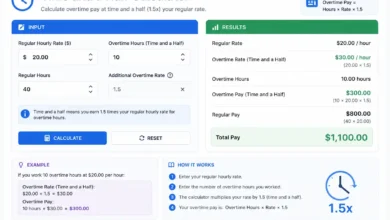
Where the standard overtime rate under the FLSA is 1.5× the regular hourly rate for all hours worked beyond 40 in a workweek.
How to Convert Minutes to Decimal Hours
Payroll software and most time card calculators express time in decimal format rather than hours:minutes. This simplifies multiplication when calculating pay.
Conversion Formula
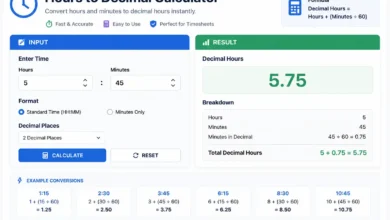
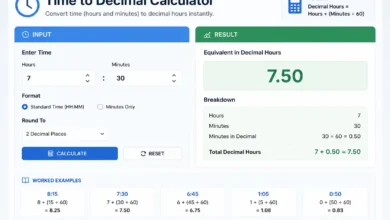
Decimal Hours = Minutes ÷ 60
Minute-to-Decimal Reference Table
| Minutes | Decimal Hours |
|---|---|
| 5 | 0.08 |
| 10 | 0.17 |
| 15 | 0.25 |
| 20 | 0.33 |
| 30 | 0.50 |
| 45 | 0.75 |
| 50 | 0.83 |
| 55 | 0.92 |
Pro Tip: Most payroll systems default to decimal hours. If your time card shows 8:30, always convert it to 8.5 hours before multiplying by your hourly rate to avoid a 50-cent error per hour.
Step-by-Step Time Card Calculation Examples
Let’s walk through complete, real-world examples to show exactly how time card calculators work in practice.
Example 1: Standard 5-Day Work Week
Employee: Sarah, Administrative Assistant Hourly Rate: $18.00 Unpaid Lunch: 30 minutes daily
| Day | Clock In | Clock Out | Break | Hours Worked |
|---|---|---|---|---|
| Monday | 8:00 AM | 5:00 PM | 30 min | 8.5 hrs |
| Tuesday | 8:15 AM | 5:15 PM | 30 min | 8.5 hrs |
| Wednesday | 8:00 AM | 4:30 PM | 30 min | 8.0 hrs |
| Thursday | 8:00 AM | 5:00 PM | 30 min | 8.5 hrs |
| Friday | 8:00 AM | 4:00 PM | 30 min | 7.5 hrs |
Total Hours = 8.5 + 8.5 + 8.0 + 8.5 + 7.5 = 41.0 hours
Since Sarah worked 41 hours (1 hour over the 40-hour threshold):
- Regular Pay: 40 hrs × $18.00 = $720.00
- Overtime Pay: 1 hr × ($18.00 × 1.5) = 1 hr × $27.00 = $27.00
- Gross Weekly Pay: $747.00
Example 2: Part-Time Employee with Variable Hours
Employee: James, Retail Associate Hourly Rate: $15.50 No unpaid breaks (shifts under 6 hours)
| Day | Clock In | Clock Out | Hours Worked |
|---|---|---|---|
| Tuesday | 2:00 PM | 6:00 PM | 4.0 hrs |
| Thursday | 3:00 PM | 7:30 PM | 4.5 hrs |
| Saturday | 10:00 AM | 4:00 PM | 6.0 hrs |
| Sunday | 12:00 PM | 5:00 PM | 5.0 hrs |
Total Hours = 4.0 + 4.5 + 6.0 + 5.0 = 19.5 hours
No overtime applies (under 40 hours).
- Regular Pay: 19.5 hrs × $15.50 = $302.25
Example 3: Night Shift Employee (Overnight Hours)
Overnight shifts require special handling because the clock-out time is on the next calendar day.
Employee: Marcus, Security Guard Shift: 10:00 PM – 6:00 AM
Calculation:
Midnight = 12:00 AM = 0 minutes from midnight
10:00 PM = 22 × 60 = 1,320 minutes
6:00 AM = 6 × 60 = 360 minutes

Since clock-out is the next day:
Total Minutes = (1,440 − 1,320) + 360 = 120 + 360 = 480 minutes
Hours Worked = 480 ÷ 60 = 8.0 hours
Key Rule: When calculating overnight shifts, add 1,440 minutes (24 hours) to the clock-out time before subtracting clock-in time.
Overtime Calculation: How It Works
Overtime is one of the most complex and most frequently misunderstood aspects of time card calculation. Federal law, state law, and individual employment contracts all play a role.
Federal Overtime (FLSA)
The FLSA mandates time-and-a-half (1.5×) for all hours worked beyond 40 hours in a single workweek. A workweek is any fixed, recurring 168-hour period — most commonly Sunday through Saturday, but this is employer-defined.
State-Level Daily Overtime
Some states have daily overtime rules that go beyond federal minimums:
- California: Overtime applies after 8 hours in a single day (and double-time after 12 hours).
- Nevada: Overtime applies after 8 hours in a day for employees earning less than 1.5× the minimum wage.
- Alaska and Colorado also have daily overtime provisions.
Double-Time Rules
California also mandates double pay (2×) for:
- Hours worked beyond 12 in a single day
- All hours worked on the 7th consecutive day of a workweek beyond 8 hours
Overtime Formula Summary
For Weekly Overtime (Federal):
Overtime Hours = Total Weekly Hours − 40 (if result > 0)
Overtime Pay = Overtime Hours × (Hourly Rate × 1.5)

For Daily Overtime (California):
Daily OT Hours = Daily Hours − 8 (if result > 0, up to 12 hours)
Double Time Hours = Daily Hours − 12 (if result > 0)
Time Card Rounding Rules Explained
The FLSA permits employers to round employee time to the nearest 5 minutes, 1/10 of an hour (6 minutes), or quarter-hour (15 minutes), as long as the rounding averages out over time and does not systematically underpay workers.
Common Rounding Practices
7-Minute Rule (Quarter-Hour Rounding):
- If an employee clocks in between 8:00 and 8:07, time is rounded back to 8:00.
- If an employee clocks in between 8:08 and 8:14, time is rounded forward to 8:15.
6-Minute Rule (Tenth-of-Hour Rounding):
- Used in decimal-based systems.
- Clock in at 8:04 → rounds to 8:00 (0.0 hours).
- Clock in at 8:07 → rounds to 8:06 (0.1 hours).
Important: Rounding must benefit employees as often as it benefits employers. If your system always rounds against employees, it violates the FLSA and exposes the business to back-pay liability.
Weekly vs. Biweekly Time Card Calculation
The pay period affects how time cards are structured and how overtime is calculated.
Weekly Pay Period
- Time card covers 7 days.
- Overtime calculated on hours beyond 40 in that week.
- Simpler to track and less prone to errors.
Biweekly Pay Period (Most Common in the U.S.)
- Time card covers 14 days (two workweeks).
- Overtime is still calculated per workweek, not per pay period.
- This is a common employer mistake: treating 80 hours across two weeks as having no overtime, even when one week had 48 hours and the other had 32.
Biweekly Example:
- Week 1: 48 hours worked (8 hours OT)
- Week 2: 32 hours worked (0 hours OT)
- Total: 80 hours, but 8 hours of overtime still apply from Week 1
Semi-Monthly vs. Biweekly
Semi-monthly pay periods (24 per year vs. 26 for biweekly) are even more complex because pay periods don’t align with workweeks. Employers must carefully track which workweek falls in which pay period to calculate overtime correctly.
Common Time Card Calculation Mistakes to Avoid
Even experienced payroll professionals make errors. Here are the most frequent time card calculation mistakes — and how to prevent them.
1. Forgetting to Subtract Unpaid Breaks Many time cards show total time on-site rather than time actively working. If employees take a 30-minute unpaid lunch, it must be excluded. Failing to do so overpays employees and creates false records.
2. Using 12-Hour Clock Without AM/PM Distinction Confusing 12:00 PM (noon) and 12:00 AM (midnight) is more common than it sounds. Always use 24-hour (military) time in payroll systems to eliminate ambiguity.
3. Miscalculating Overtime Across Pay Period Boundaries As noted above, biweekly pay doesn’t change the weekly overtime threshold. Each 7-day workweek must be evaluated independently.
4. Ignoring State Overtime Laws Federal FLSA sets the floor, not the ceiling. If your employees work in California, Colorado, Nevada, or Alaska, you must also apply state daily overtime rules.
5. Incorrect Decimal Conversion Multiplying 8:45 hours (8 hours, 45 minutes) by an hourly rate as if it were 8.45 hours is a frequent error. The correct decimal is 8.75 hours (45 ÷ 60 = 0.75).
6. Not Accounting for Shift Differentials Employees working evening, night, or weekend shifts may receive different pay rates. Time card calculations must separate hours by rate category before multiplying.
Digital Time Card Calculators vs. Manual Calculation
Manual Calculation
Manual time card calculation — done with pen, paper, or basic spreadsheets — is prone to arithmetic errors, time-consuming, and not scalable. For businesses with more than a handful of employees, manual systems are a significant liability.
That said, manual calculation remains valuable for:
- Understanding the underlying math
- Auditing digital system outputs
- Simple freelance or self-employment scenarios
Digital Time Card Calculators
Modern digital calculators and time-tracking software automate the entire process. Features typically include:
- Automatic clock-in/clock-out recording
- Real-time overtime alerts
- Geolocation or biometric clock-in (eliminating buddy punching)
- Integration with payroll platforms (QuickBooks, ADP, Gusto)
- Customizable rounding rules
- Detailed reporting and audit trails
Top digital time tracking platforms include: Clockify, TSheets (QuickBooks Time), Homebase, Deputy, and When I Work — each offering different feature sets for different business sizes and industries.
Which Should You Use?
For employers with 5+ employees, a digital time card calculator is not optional — it’s essential. The cost of errors, legal liability, and administrative time far outweighs the software investment. For individuals tracking personal or freelance hours, a simple spreadsheet or free online calculator is entirely sufficient.
How Employers Use Time Card Data for Payroll
Once time cards are calculated, the data feeds directly into payroll processing. Here’s a simplified overview of how that pipeline works:
- Time Entry: Employees clock in/out (digitally or manually).
- Time Card Calculation: Software or HR computes total regular and overtime hours.
- Approval Workflow: Managers review and approve time cards before payroll runs.
- Payroll Integration: Approved hours feed into payroll software.
- Tax Calculation: Payroll system applies federal and state withholding, FICA, and other deductions.
- Payment: Employees receive direct deposit, physical check, or pay card.
- Recordkeeping: Time cards and payroll records are archived (FLSA requires 2 years; ADEA requires 3).
A well-designed time card system creates a clean audit trail that protects both employer and employee in the event of a wage dispute.
Frequently Asked Questions
How do I calculate time card hours manually?
Subtract your clock-in time from your clock-out time for each shift. Subtract any unpaid break time. Convert the result to decimal format (minutes ÷ 60), then total all days in the pay period.
What is the 7-minute rule in time cards?
The 7-minute rule is a FLSA-compliant rounding method where time is rounded to the nearest quarter hour. If an employee clocks in at 7 minutes or less past the quarter hour, time rounds back. If 8 or more minutes past, it rounds forward.
How do you calculate hours with a 30-minute lunch break?
Simply subtract 0.5 hours (or 30 minutes) from the total shift duration. If you worked 9 hours on the clock but took a 30-minute unpaid lunch, your paid time is 8.5 hours.
Can an employer round my time card?
Yes, under the FLSA, employers may round to the nearest 5 minutes, 6 minutes, or 15 minutes — as long as the rounding is neutral over time and doesn’t consistently result in employees being underpaid.
What happens if my time card has an error?
Report it to your manager or HR department immediately. Employers are legally required to correct payroll errors promptly. Under the FLSA, unpaid wages from errors must be remitted within the next regular payday in most states.
How do I calculate overtime on a time card?
Add up all hours worked in the workweek (Sunday–Saturday or your employer’s defined week). Any hours beyond 40 are overtime, paid at 1.5× your regular rate. Check your state’s laws for daily overtime rules.
Do salaried employees need time cards?
Exempt salaried employees (those who meet FLSA exemption criteria) are generally not required to track hours. Non-exempt salaried employees — who qualify for overtime — must still have their hours tracked.
Conclusion
A time card calculator is far more than a simple arithmetic tool — it is a foundational element of fair, lawful, and efficient workforce management. Understanding the formulas, conversion methods, overtime rules, and rounding practices behind time card calculation empowers both employees and employers to handle compensation with confidence and accuracy.
Whether you’re manually computing hours on a spreadsheet or relying on enterprise time-tracking software, the underlying math remains the same: subtract break time, convert to decimals, apply the correct pay rates, and always evaluate overtime on a per-workweek basis.
Mastering these calculations protects your earnings, ensures legal compliance, and builds the kind of transparent pay culture that retains great employees and keeps auditors away.
Related Topics:
- Habit Tracker: How It Works, the Science Behind It, and How to Build Habits That Stick
- Word Counter: How It Works, Why It Matters, and How to Use It Effectively
- Timesheet Calculator: How It Works, Formulas, and Examples
- Stopwatch Timer: Formula, Examples, and How It Works
- House Affordability Calculator: Formula, Examples, and How It Works
- 401(k) Calculator: Formula, Examples, and How It Works