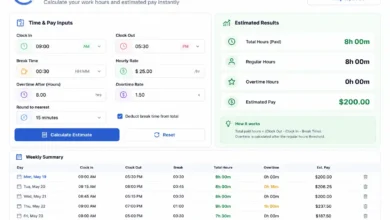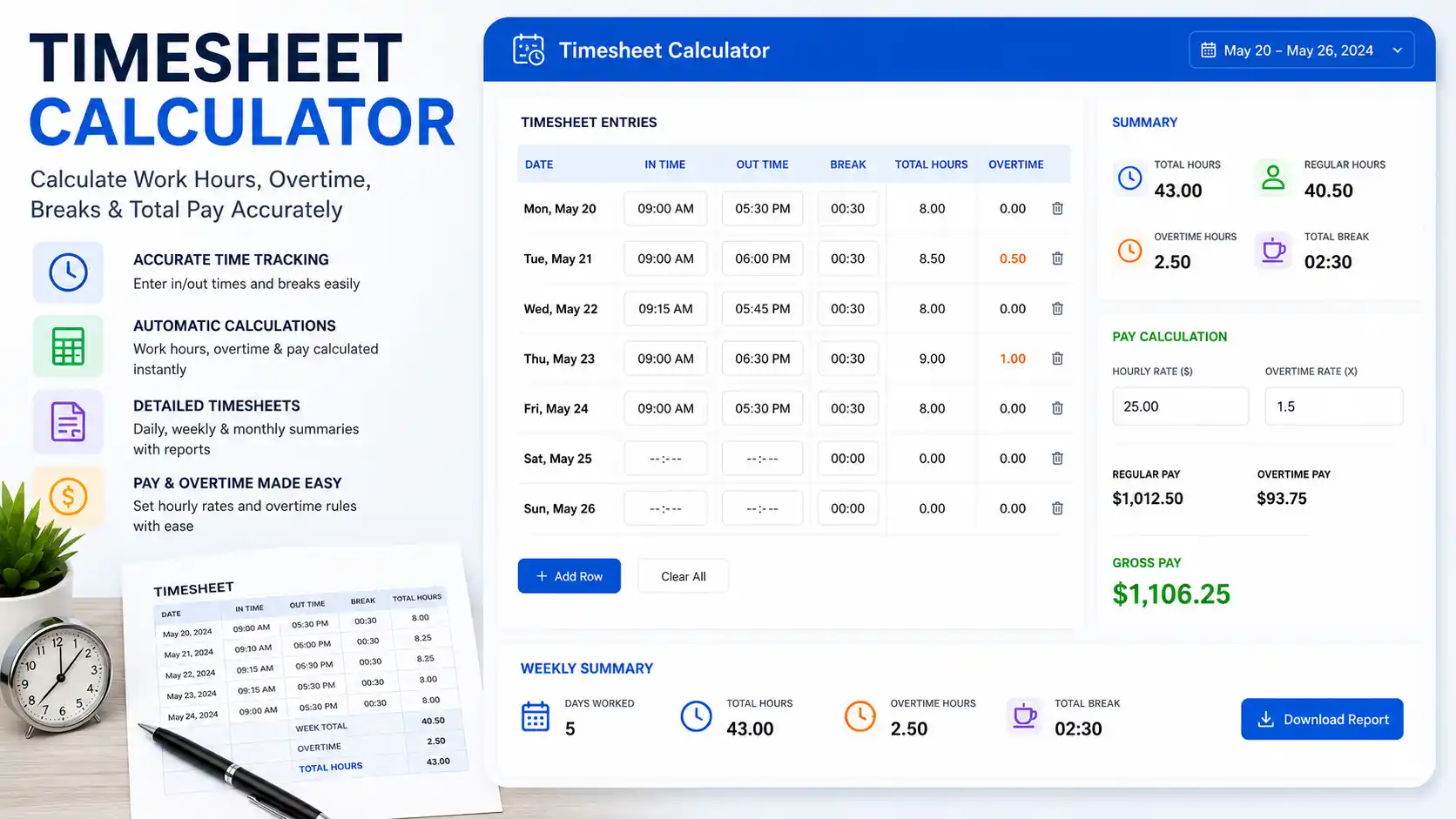
What Is a Timesheet Calculator?
A timesheet calculator is a tool — digital, spreadsheet-based, or paper — that records, computes, and totals the hours an individual has worked across a defined period, typically a day, week, biweek, or month. It takes time entries (start time, end time, breaks) and translates them into total hours worked, which then feeds directly into payroll, invoicing, or project billing.
The term “timesheet” originated in manufacturing environments where workers logged their time on physical sheets of paper. Today, timesheets are the backbone of workforce management across virtually every industry — from construction and healthcare to law firms and software agencies.
A timesheet calculator does more than simply add up numbers. It applies rules: deducting unpaid breaks, flagging overtime thresholds, enforcing rounding policies, separating regular and premium pay hours, and organizing data by project, department, or cost center. Understanding how it works is fundamental to fair and accurate compensation — for both workers and the businesses that pay them.
Timesheet Calculator vs. Time Card Calculator: Key Differences
The terms “timesheet” and “time card” are often used interchangeably, but they refer to distinct systems with different levels of detail.
| Feature | Time Card Calculator | Timesheet Calculator |
|---|---|---|
| Scope | Single shift or day | Full pay period (week, biweek, month) |
| Primary use | Clocking in/out | Logging hours for payroll or billing |
| Detail level | Clock-in/clock-out times | Hours per day, project, or task |
| Common users | Hourly wage workers | Salaried, hourly, and freelance workers |
| Overtime tracking | Per shift | Per pay period / workweek |
| Output | Daily hours worked | Total period hours + pay summary |
In short: a time card captures the raw moment-by-moment data; a timesheet aggregates, organizes, and presents that data for payroll or billing purposes. Many modern time tracking systems combine both into a single workflow.
The Core Formula for Timesheet Calculation
Every timesheet calculator, no matter how sophisticated, runs on a set of foundational formulas.
Formula 1: Daily Hours Worked
Daily Hours = (Clock-Out Time − Clock-In Time) − Unpaid Break Duration
Formula 2: Total Period Hours
Total Hours = Sum of Daily Hours Across All Days in Pay Period
Formula 3: Regular vs. Overtime Hours
Regular Hours = MIN(Total Hours, 40)
Overtime Hours = MAX(Total Hours − 40, 0)
Formula 4: Gross Pay
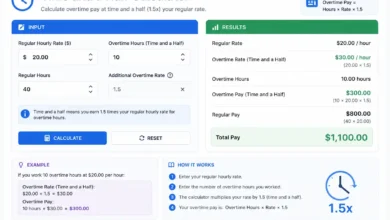
Gross Pay = (Regular Hours × Regular Rate) + (Overtime Hours × Overtime Rate)
Where the standard overtime rate = Regular Rate × 1.5 (per FLSA).
Formula 5: Decimal Time Conversion
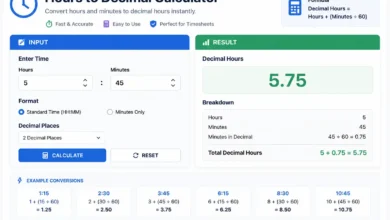
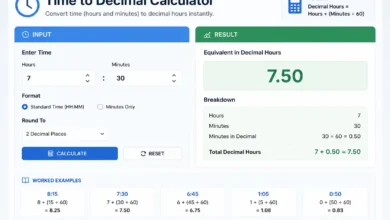
Decimal Hours = Whole Hours + (Minutes ÷ 60)
Example: 7 hours 45 minutes = 7 + (45 ÷ 60) = 7.75 hours
These five formulas are the engine inside every timesheet calculator — whether it’s a $200/month SaaS platform or a free Excel template.
How to Read and Fill Out a Timesheet
A standard timesheet contains the following fields:
- Employee name and ID
- Pay period start and end dates
- Department or project code
- Date (for each row)
- Clock-in time
- Clock-out time
- Break duration (unpaid)
- Total hours per day
- Weekly or period total
- Employee and manager signatures (for paper timesheets)
Filling Out a Timesheet: Step by Step
- Enter the pay period dates at the top of the sheet.
- Log each workday with your start time, end time, and any unpaid break.
- Calculate daily hours using the core formula above.
- Sum all daily hours to get your period total.
- Separate regular and overtime hours if applicable.
- Submit for manager approval by the deadline.
Accuracy at step 2 determines accuracy throughout the entire chain. Even a 10-minute error per day adds up to nearly an hour of discrepancy per week.
Step-by-Step Timesheet Calculation Examples
Example 1: Standard Full-Time Employee (40-Hour Week)
Employee: Linda Chen, Marketing Coordinator Hourly Rate: $22.00 Unpaid Lunch: 30 minutes daily
| Date | Day | In | Out | Break | Hours |
|---|---|---|---|---|---|
| Jun 23 | Mon | 9:00 AM | 5:30 PM | 30 min | 8.0 |
| Jun 24 | Tue | 8:45 AM | 5:15 PM | 30 min | 8.0 |
| Jun 25 | Wed | 9:00 AM | 6:00 PM | 30 min | 8.5 |
| Jun 26 | Thu | 9:00 AM | 5:30 PM | 30 min | 8.0 |
| Jun 27 | Fri | 9:00 AM | 4:30 PM | 30 min | 7.0 |
Total Hours: 8.0 + 8.0 + 8.5 + 8.0 + 7.0 = 39.5 hours
No overtime (under 40 hours).
Gross Pay: 39.5 × $22.00 = $869.00
Example 2: Employee with Overtime
Employee: Derek Washington, Warehouse Supervisor Hourly Rate: $19.50 Unpaid Break: 30 minutes on shifts over 6 hours
| Date | Day | In | Out | Break | Hours |
|---|---|---|---|---|---|
| Jun 23 | Mon | 6:00 AM | 4:00 PM | 30 min | 9.5 |
| Jun 24 | Tue | 6:00 AM | 4:30 PM | 30 min | 10.0 |
| Jun 25 | Wed | 6:00 AM | 3:30 PM | 30 min | 9.0 |
| Jun 26 | Thu | 6:00 AM | 4:00 PM | 30 min | 9.5 |
| Jun 27 | Fri | 6:00 AM | 2:30 PM | 30 min | 8.0 |
Total Hours: 9.5 + 10.0 + 9.0 + 9.5 + 8.0 = 46.0 hours
Overtime hours: 46.0 − 40 = 6.0 hours OT
- Regular Pay: 40 × $19.50 = $780.00
- Overtime Pay: 6 × ($19.50 × 1.5) = 6 × $29.25 = $175.50
- Gross Pay: $955.50
Example 3: Biweekly Timesheet with Two Separate Workweeks
Employee: Priya Patel, Nurse (Non-Exempt) Hourly Rate: $32.00 Pay Period: 2 weeks
Week 1 Total: 44 hours → 4 hours OT Week 2 Total: 38 hours → 0 hours OT
Even though the biweekly total is 82 hours (only 2 hours above 80), overtime must be calculated per workweek independently.
- Week 1 Regular: 40 × $32.00 = $1,280.00
- Week 1 OT: 4 × $48.00 = $192.00
- Week 2 Regular: 38 × $32.00 = $1,216.00
- Biweekly Gross Pay: $2,688.00
A common employer mistake would calculate 82 hours at straight time (only applying OT to the 2 hours over 80), resulting in $2,624 — $64 underpayment per pay period, or $1,664 per year.
How to Calculate Total Hours on a Timesheet
For those calculating manually, here is a reliable step-by-step method for summing a weekly timesheet:
Step 1: Convert all times to 24-hour (military) format to avoid AM/PM errors.
- 8:00 AM → 08:00 | 5:30 PM → 17:30
Step 2: For each day, subtract clock-in from clock-out.
- 17:30 − 08:00 = 9 hours 30 minutes
Step 3: Subtract unpaid break time.
- 9:30 − 0:30 = 9 hours 0 minutes
Step 4: Convert each day’s hours to decimal format.
- 9 hours 0 minutes = 9.00
- 8 hours 45 minutes = 8.75
- 7 hours 30 minutes = 7.50
Step 5: Sum all decimal values.
- 9.00 + 8.75 + 7.50 + 8.25 + 8.00 = 41.50 hours
Step 6: Separate regular and overtime.
- Regular: 40.00 hours | Overtime: 1.50 hours
Decimal Conversion in Timesheet Calculation
Accurate decimal conversion is the single most important detail in timesheet math. Here is a complete reference:
Minutes-to-Decimal Conversion Table
| Minutes | Decimal | Minutes | Decimal |
|---|---|---|---|
| 5 | 0.08 | 35 | 0.58 |
| 10 | 0.17 | 40 | 0.67 |
| 15 | 0.25 | 45 | 0.75 |
| 20 | 0.33 | 50 | 0.83 |
| 25 | 0.42 | 55 | 0.92 |
| 30 | 0.50 | 60 | 1.00 |
Memory shortcut: Divide any minute value by 60. The result is always the correct decimal.
Overtime on a Timesheet: Rules and Formulas
Federal Standard (FLSA)
All non-exempt employees must receive 1.5× their regular rate for hours worked beyond 40 in a workweek. The workweek is a fixed 168-hour period — not necessarily Monday–Sunday.
California Daily Overtime
California applies overtime at the daily level, not just weekly:
| Hours Worked in a Day | Pay Rate |
|---|---|
| Up to 8 hours | Regular rate (1×) |
| 8–12 hours | Overtime rate (1.5×) |
| Over 12 hours | Double time (2×) |
| 7th consecutive day, first 8 hrs | Overtime rate (1.5×) |
| 7th consecutive day, over 8 hrs | Double time (2×) |
Blended Overtime Rate
When an employee earns different rates for different tasks in the same week, overtime must use a weighted average rate:
Blended Rate = Total Straight-Time Earnings ÷ Total Hours Worked
Overtime Premium = 0.5 × Blended Rate × Overtime Hours
Types of Timesheets and When to Use Each
1. Daily Timesheet
Records hours for a single day. Best for employees with variable schedules or multiple job sites. Provides the most granular tracking.
2. Weekly Timesheet
The most common format. Covers one full workweek (7 days). Standard for most hourly and non-exempt salaried employees in the U.S.
3. Biweekly Timesheet
Covers two workweeks in a single document. Common for companies with biweekly payroll cycles. Requires careful overtime tracking per workweek, not per period.
4. Monthly Timesheet
Used primarily for salaried exempt employees, international businesses, or project-based billing. Overtime tracking is less relevant; project hour allocation is key.
5. Project-Based Timesheet
Allocates hours to specific projects, tasks, or clients. Essential for agencies, law firms, IT consultancies, and any business that bills clients by the hour.
6. Attendance Timesheet
Tracks presence/absence rather than exact hours. Used for fixed-shift employees where the question is “were they here?” rather than “how long were they here?”
How to Build a Timesheet Calculator in Excel
Excel remains the most widely used tool for manual timesheet calculation. Here’s how to build a functional one.
Setup
- Create columns: Date | Day | Time In | Time Out | Break (hrs) | Total Hours
- Format Time In and Time Out columns as Time (h:mm AM/PM).
- Format Total Hours as Number with 2 decimal places.
Key Excel Formulas
Daily Hours (decimal):
=((C2-B2)*24)-D2
Where B2 = Time In, C2 = Time Out, D2 = Break in hours.
Weekly Total:
=SUM(E2:E8)
Regular Hours:
=MIN(E9,40)
Overtime Hours:
=MAX(E9-40,0)
Gross Pay:
=(F9*HourlyRate)+(G9*(HourlyRate*1.5))
Pro Tips for Excel Timesheets
- Use data validation to prevent clock-out times before clock-in times.
- Add conditional formatting to highlight days where hours exceed 10, flagging potential errors.
- Lock formula cells to prevent accidental edits by employees.
- Reference hourly rate data from a separate sheet using VLOOKUP or XLOOKUP for multi-employee use.
Best Practices for Timesheet Accuracy
Accurate timesheets don’t happen by accident — they result from consistent habits and clear policies.
1. Record time daily, not weekly. Memory degrades fast. Employees who fill out timesheets at the end of the week systematically underreport their time. Daily entry is dramatically more accurate.
2. Define “work time” in writing. Does answering emails before clock-in count? Does driving between job sites count? Define it clearly and apply the definition uniformly.
3. Require manager approval before payroll runs. A two-eyes review catches errors before they become payroll mistakes or legal disputes.
4. Set hard submission deadlines. Late timesheets delay payroll for everyone. Automate reminders 24 hours before the deadline.
5. Conduct random audits. Periodic spot-checks against badge swipe data, system login records, or project logs deters fraud and catches honest errors early.
6. Retain records for at least 2–3 years. The FLSA requires 2 years of payroll records; many states require 3. Digital backups are strongly preferable to paper.
Common Timesheet Errors and How to Fix Them
Error 1: Forgetting to Log Short Workdays
Employees often skip logging hours on days they worked only a few hours, assuming it “doesn’t matter.” All compensable time must be recorded regardless of duration.
Fix: Implement a daily prompt or notification for all employees, regardless of hours worked.
Error 2: Inconsistent Break Logging
Some employees include their lunch in total hours; others exclude it. Inconsistency creates payroll errors and compliance exposure.
Fix: Establish a written policy (e.g., “30-minute unpaid lunch for all shifts over 5 hours”) and enforce it at the system level.
Error 3: Incorrect Manual Rounding
Rounding 7:48 to 8:00 instead of the correct 7:45 under quarter-hour rounding creates cumulative pay inaccuracies that compound over time.
Fix: Use a digital system with automatic rounding, or provide employees with a rounding reference card.
Error 4: AM/PM Confusion on 12-Hour Clocks
Logging “12:30” without specifying AM or PM invites payroll errors that are surprisingly difficult to catch after the fact.
Fix: Require 24-hour time format in all manual entries and train employees uniformly.
Error 5: Mixing PTO with Worked Hours
Including paid time off hours in the “hours worked” total can inflate figures and incorrectly trigger overtime calculations.
Fix: Use separate columns or task codes for PTO, sick leave, and holiday time, so only actual worked hours feed into overtime calculations.
Timesheet Calculator for Freelancers and Contractors
Freelancers and independent contractors use timesheets differently than hourly employees — primarily for client invoicing rather than payroll compliance.
Key Differences for Freelancers
- No overtime rules apply — independent contractors are not covered by the FLSA.
- Hours are tracked by project or client, not by employer workweek.
- The output is an invoice, not a paycheck.
- Rates may vary by task type, deliverable, or client.
Freelance Timesheet Formula
Invoice Amount = Sum of (Hours per Task × Hourly Rate per Task)
Example: Freelance Web Developer
| Client | Task | Hours | Rate | Amount |
|---|---|---|---|---|
| Client A | Design | 6.5 | $85 | $552.50 |
| Client A | Development | 12.0 | $95 | $1,140.00 |
| Client B | Consultation | 2.5 | $120 | $300.00 |
| Client C | SEO Audit | 4.0 | $75 | $300.00 |
Total Invoiced: $2,292.50
Tools popular with freelancers for timesheet tracking include Toggl Track, Harvest, Clockify, and FreshBooks — all of which can auto-generate invoices directly from logged time entries.
Frequently Asked Questions
What is the difference between a timesheet and a time card?
A time card records when an employee clocks in and out for individual shifts. A timesheet aggregates those entries across an entire pay period and organizes them for payroll or billing purposes.
How do I calculate hours on a timesheet?
Subtract clock-in time from clock-out time for each day, subtract unpaid breaks, convert to decimal hours (minutes ÷ 60), then sum all days in the pay period.
How do I convert hours and minutes to decimal for a timesheet?
Divide the minutes by 60. For example, 7 hours 45 minutes = 7 + (45 ÷ 60) = 7.75 hours.
Can I use Excel as a timesheet calculator?
Yes. Excel is one of the most widely used timesheet tools. Using time subtraction formulas and decimal conversion, you can build an accurate, fully functional timesheet calculator without any paid software.
How do employers verify timesheet accuracy?
Employers may cross-reference timesheets with badge access logs, computer login/logout records, project management timestamps, or surveillance footage. Random audits and manager approval workflows are the most common verification methods.
Do freelancers need timesheets?
Freelancers billing by the hour absolutely benefit from timesheets — they serve as the basis for invoices and provide documentation if a client disputes hours billed.
What happens if I submit a timesheet late?
Late submissions can delay payroll processing for the entire team. Communicate with your manager immediately if you miss a deadline, and some employers have written consequences for repeated late submissions.
How long should employers keep timesheet records?
Under the FLSA, employers must retain payroll records for at least 2 years. Many states require 3 years. Tax-related payroll records should be kept for 4 years per IRS guidelines.
Conclusion
A timesheet calculator is one of the most practical tools in the working world — yet it is often taken for granted until an error appears on a paycheck or an audit arrives unexpectedly. Understanding the formulas, decimal conversions, overtime rules, and best practices behind timesheet calculation gives employees and employers alike the knowledge to handle compensation accurately, transparently, and in full compliance with the law.
Whether you’re using a sophisticated cloud platform, a custom Excel template, or a traditional pen-and-paper ledger, the fundamentals never change: record every hour, subtract every unpaid break, convert to decimal, and evaluate overtime by the workweek — every single pay period.
Related Topics:
- Time Card Calculator: Formula, Examples, and How It Works
- Overtime Hours Calculator: Formula, Examples, and How It Works
- Hours Calculator: Formula, Examples, and How It Works
- Work Hours Calculator: Formula, Examples, and How It Works
- Salary Calculator: Formula, Examples, and How It Works
- Time Calculator: Formula, Examples, and How It Works